Best Wi-Fi Routers: Five TP-Link and Netgear Picks Compared Honestly
November 24, 2026
Shopping for a Wi-Fi router means choosing between two generations of the standard, a pile of confusing model numbers like BE3600, AX4400 and WB10800, and prices that run from $84.99 on Amazon to $229.99 at Best Buy for gear that looks nearly identical on a shelf. The numbers on
Shopping for a Wi-Fi router means choosing between two generations of the standard, a pile of confusing model numbers like BE3600, AX4400 and WB10800, and prices that run from $84.99 on Amazon to $229.99 at Best Buy for gear that looks nearly identical on a shelf. The numbers on the box describe a theoretical maximum that no home ever reaches, and the router you pick decides whether a video call survives someone else streaming 4K in the next room.
This guide covers five routers across two approaches: single routers and multi-node mesh systems. It is written for people replacing an aging router, not network engineers. We rank them by who they suit best: small apartments, big houses, device-heavy households, and people who like to tinker with settings. Each pick comes with the specs that matter, honest drawbacks, and a plain-English verdict.
Why You Can Trust This Guide
Revuzia does not run its own lab, so we say plainly where our findings come from. Every router here goes through the same evaluation: coverage claims, wireless generation and band layout, wired port speeds, device capacity, security features, app and web management, and setup effort. Where independent reviewers have published measurements or hands-on impressions, we use them and attribute them to the reviewers, not to Revuzia. We accept no paid placement, and we do not give favorable coverage in exchange for review units.
Our data comes from three places: independent reviewer write-ups, manufacturer spec sheets from TP-Link and Netgear, and retail listings with owner ratings and review counts. For the other four, we rely on manufacturer specifications and retail listings. When a manufacturer claim and an independent finding disagree, we report both and say which we weighted more. Rating numbers like 4.5 out of 5 come from retail listings and reflect owner satisfaction, not lab results.
Prices in this guide are current as of November 24, 2026, and they change often, so the buy button always shows the live number. If you spot an error or want us to cover a router we missed, email [email protected].
Our Top Picks at a Glance
How We Handled Prices and Ratings
Two of the five routers have an Amazon price we could verify: the Deco BE3600 at $84.99 and the Nighthawk AX4200 at $126.93. The other three, the Deco BE5000, Deco WB10800 and Archer AX4400, only have Best Buy listing prices of $229.99, $189.99 and $169.99. We show each price with its source and do not blend them into one ranking by cost.
The gaps between sources can be large. The BE3600 also appears at $147.19 at Walmart, and the Nighthawk at $273.99 at American Tech Depot, against $84.99 and $126.93 on Amazon. We use the Amazon figure where we have one, since that is what the buy button shows. If you are comparing the two Amazon-priced routers with the three Best Buy-priced ones, treat the gap as a rough guide only and check the live price before buying. The BE5000 also carries a $299 list price for the 3-pack, which gives you a sense of how far street prices sit below it.
Owner ratings have the same limits. Each comes from a single retailer's listing and a different review count, from 32 reviews for the BE3600 to 2,800 for the Nighthawk. A 4.6 from 296 owners and a 4.3 from 32 owners are not equally reliable, and none of them measures speed. We use ratings as a satisfaction signal and nothing more.
Best Overall: TP-Link Deco BE5000
The Deco BE5000 earns the top slot because it pairs Wi-Fi 7 with 6,600 square feet of coverage and two 2.5 GbE ports on every node, a combination that is rare at its $229.99 Best Buy listing price. Retail owners rate the 3-pack 4.5 out of 5 across 393 reviews.
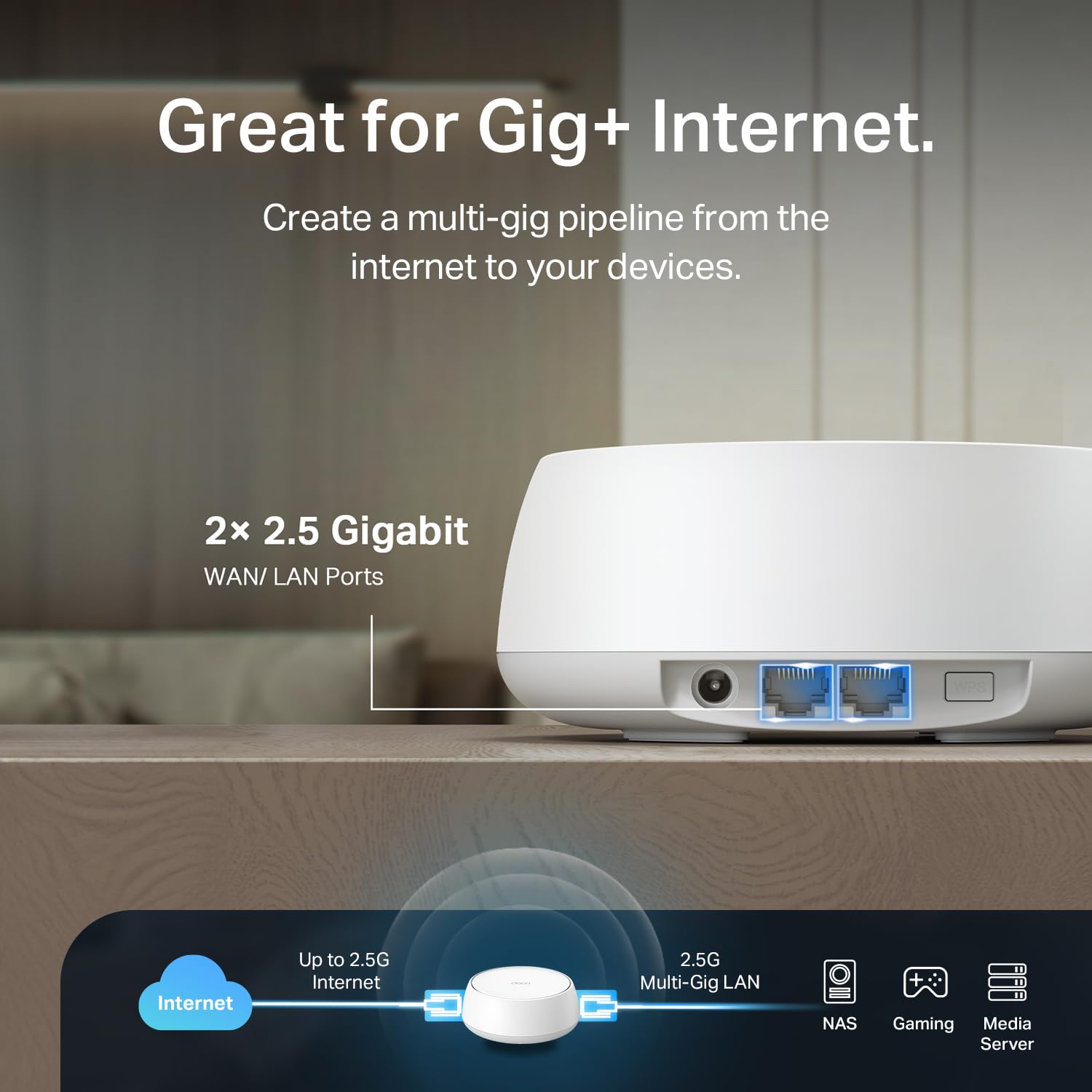
Key specs. This is a Wi-Fi 7 (802.11be) tri-node mesh system. According to independent reviewers, the 2.4 GHz band runs 4x4 streams at up to 688 Mbps, and the 5 GHz band runs 4x4 streams at up to 4,324 Mbps. These are rated maximums, not measured results. The three nodes together cover up to 6,600 square feet. Each node has two 2.5 GbE ports. On the main router one handles the internet connection and the other a wired device. On satellite nodes, both can serve wired devices or a wired backhaul link back to the router. Multi-Link Operation (MLO) is supported, so the system can combine the 2.4 GHz band, the 5 GHz band and wired backhaul into a single connection. It also includes an IoT network, QoS controls, Wi-Fi access control and VPN settings.
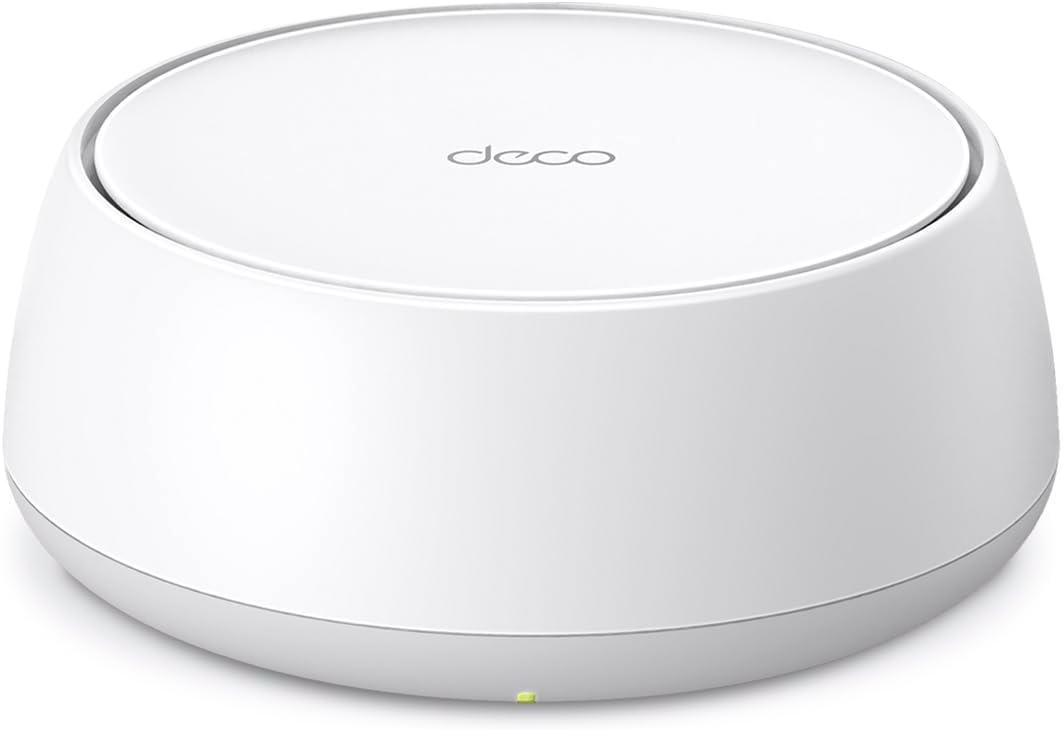
Design and setup. Reviewers describe short, puck-shaped nodes that are smaller than the tall cylinders of TP-Link's pricier Deco BE65 Pro. Each node has one status light at the bottom front, a WPS button, a power port and a Deco logo on top. Reviewers called setup "a breeze," with a few minutes of syncing for the satellites. The review's overall verdict was that the system makes some critical compromises to reach its $299 list price.
Who it is for. Anyone in a two-story house or a long ranch layout who wants one system that covers it all, plus a way to hardwire the nodes.
Pros
- Two 2.5 GbE ports on every node, with wired backhaul support
- 6,600 square feet of coverage in the 3-pack
- Wi-Fi 7 with MLO for combining connections
- Compact nodes and simple app-guided setup
Cons
- No 6 GHz band, and no 5 Gbps ports like the BE65 Pro offers
- App-only management, since the web interface only handles region and firmware settings
- Smart Connect cannot be disabled, so 2.4 GHz and 5 GHz share one network name
Best Budget: TP-Link Deco BE3600
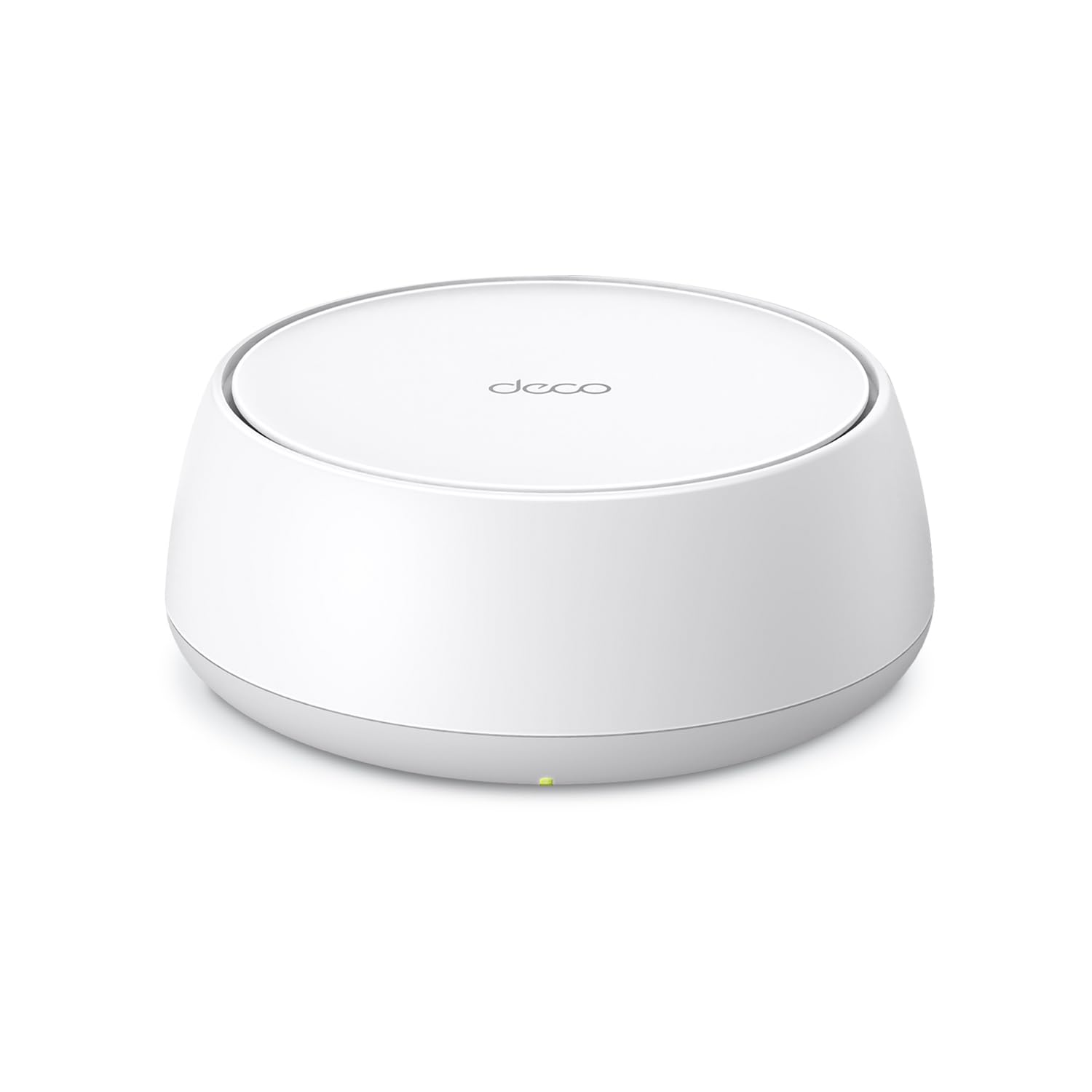
At a verified Amazon price of $84.99, the Deco BE3600 is the lowest-priced router in this guide and still brings Wi-Fi 7, which is the whole reason it is our budget pick.
Key specs. TP-Link lists this model as a dual-band Wi-Fi 7 router in the BE3600 class, with up to 2,500 square feet of coverage from a single unit. It supports 1 Gbps wired connections. TP-Link's HomeShield suite adds parental controls and a separate IoT network protected with WPA3, so smart plugs and cameras stay off the network your laptops use. It works with both Alexa and Google Assistant voice control. TP-Link says devices switch between Deco units in under 0.3 seconds, a manufacturer claim we could not check, and setup takes three steps in the Deco app. The Walmart listing rates it 4.3 out of 5 across 32 reviews, a small sample, and shows a price of $147.19 there.
Who it is for. The sweet spot is an apartment or a small to mid-size home where a single unit reaches every room, and where the internet plan tops out around gigabit speeds. If you are replacing an older router that has been dropping connections, this is the cheapest way to get a modern standard and a proper app. TP-Link's roaming claim suggests you could add more Deco units later if the first one leaves a dead spot.
Pros
- Lowest price in the group at a verified $84.99 on Amazon
- Wi-Fi 7 support at an entry-level cost
- Built-in parental controls and a WPA3 IoT network
- Three-step app setup, plus Alexa and Google Assistant support
Cons
- Dual-band design with no 6 GHz band
- Wired connections top out at 1 Gbps
- Advanced HomeShield features likely require a paid subscription, based on TP-Link's Deco 7 family page
- Coverage of 2,500 square feet is modest for larger homes
Best for Large Homes: TP-Link Deco WB10800
The Deco WB10800 is our pick for big, crowded houses because it is a Wi-Fi 7 mesh system with a TP-Link lab-tested connection capacity of over 150 devices, and it has the highest owner rating in this guide at 4.6 out of 5 across 296 Best Buy reviews.
Key specs. The WB10800 belongs to TP-Link's Deco 7 family, which means Wi-Fi 7 and whole-home mesh. The family page states a lab-tested connection of over 150 devices, a number that matters in a house full of phones, tablets, TVs, speakers, cameras and smart plugs. TP-Link's software layer also includes HomeShield security tools and app-driven setup. Footnotes on that page say all WAN and LAN ports work as either but only one can be the WAN at a time, and that the products may not support all mandatory features of the 802.11be standard. The Best Buy listing price is $189.99, and reviewers found no Amazon price.
Who it is for. Think of a household with a family of four or more, a long list of smart devices, and rooms spread across several floors. A mesh system fits those layouts better than any single router because you place nodes where the signal is needed instead of hoping one box covers everything. The strong owner rating is a good sign of satisfaction.
Pros
- Highest owner rating of the five at 4.6 out of 5
- Wi-Fi 7 mesh designed for whole-home coverage
- TP-Link's lab-tested connection of over 150 devices (family-level figure)
- Mid-range listing price of $189.99 for a mesh system
Cons
- More than double the verified Amazon price of the Deco BE3600, though the prices come from different retailers
- Advanced HomeShield features require a paid subscription, per the family page
- 1 Gbps internet speeds require compatible plans and equipment
Best for Rated Speed: Netgear Nighthawk AX4200
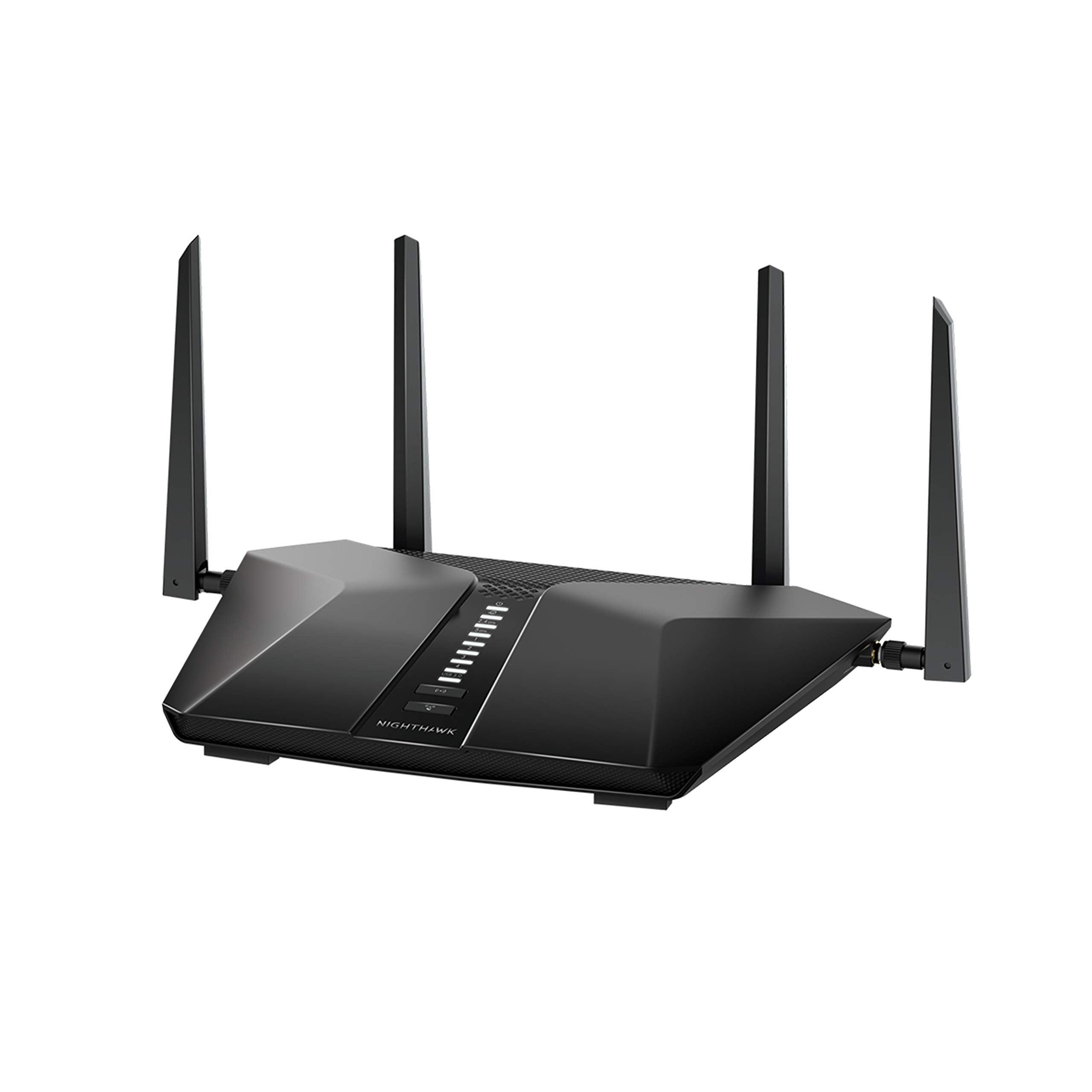
The Nighthawk AX4200 has the highest rated speed in this group on paper: a 5-stream, dual-band Wi-Fi 6 router rated at up to 4.2 Gbps, at a verified Amazon price of $126.93. The word "rated" matters here.
Key specs. Netgear lists the RAX43 as a Wi-Fi 6 router with five streams and dual-band operation, with gigabit wired connections and a combined wireless rating of up to 4.2 Gbps. That figure adds the bands together and is not a speed any one device will see. Netgear says it covers up to 2,500 square feet and supports up to 25 devices at once. Security features are included. It also has the largest owner base of the five: a 4.5 out of 5 rating across 2,800 reviews on the American Tech Depot listing, where the router is priced at $273.99, far above the Amazon figure.
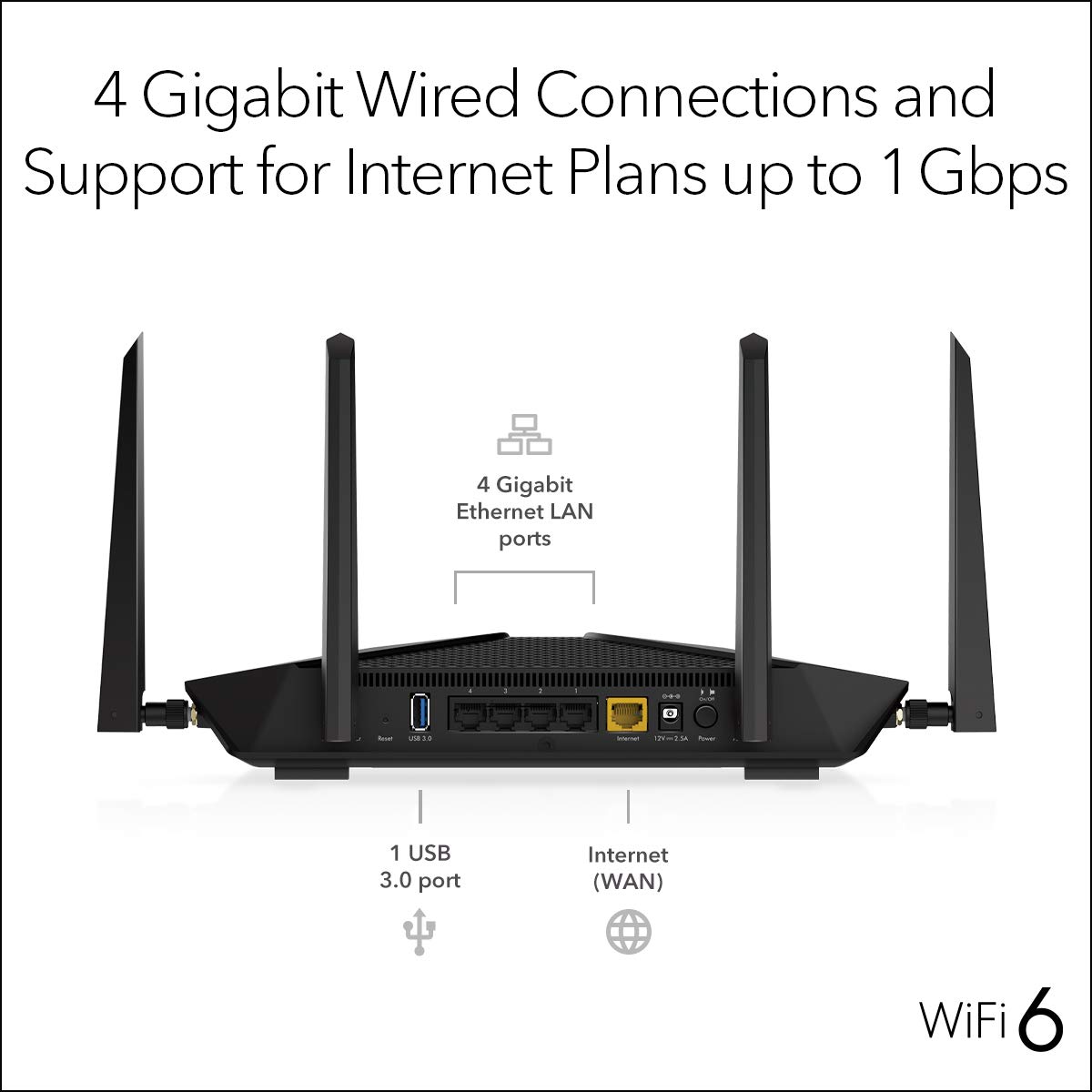
Who it is for. The Nighthawk suits a small to mid-size household that wants a single router without paying Wi-Fi 7 prices. If your devices are mostly phones, laptops and a couple of streaming boxes, 25 devices is plenty. It also fits people with a gigabit internet plan who want a Wi-Fi 6 router rated well above that speed. At its Amazon price of $126.93 it costs less than the three listings for the other routers, though those come from Best Buy, so the comparison is not exact.
Pros
- Rated at up to 4.2 Gbps with five streams
- Largest review base of the group, at 4.5 out of 5 across 2,800 reviews
- Covers up to 2,500 square feet, per Netgear
- Netgear security features included
Cons
- Single router, not a mesh system, so large homes may have weak corners
- Dual-band Wi-Fi 6 with no 6 GHz band
- Rated for 25 devices, which can fall short in a smart-home-heavy house
Best for Advanced Control: TP-Link Archer AX4400
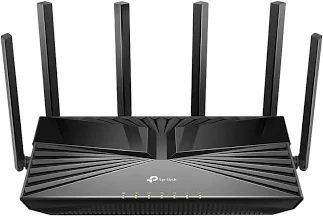
The Archer AX4400 is for people who like to open the settings menu. It is the only router here with both a Tether app and a full web interface, and its manufacturer spec sheet is the most detailed of the group.
Key specs. TP-Link lists this Wi-Fi 6 (AX4400) router with 4T4R streams and six antennas, high-power front-end modules and beamforming, which focuses signal toward your devices. It supports OFDMA, MU-MIMO, 1024-QAM and 160 MHz channels (the 160 MHz option may be unavailable in some regions). TP-Link says it connects 128 devices on the 5 GHz band and 96 devices on the 2.4 GHz band, a far higher stated ceiling than the Nighthawk's 25. HomeShield, powered by Avira, includes a free Basic plan, with a Pro plan available at extra cost. For bigger spaces, OneMesh support lets you pair compatible TP-Link units to extend coverage. The Best Buy listing shows $169.99 and a 4.3 out of 5 rating across 403 reviews.
Who it is for. Pick this if you want to set up port rules, tweak wireless channels or check your network from a laptop browser instead of a phone app. It also suits a home with a lot of connected gear, given the stated device capacity. Choose it if you want one router today and the option to extend later with OneMesh-compatible TP-Link units.
Pros
- Full web interface plus the Tether app
- 160 MHz channel support and six antennas
- Stated capacity of 128 devices on 5 GHz and 96 on 2.4 GHz
- Free HomeShield Basic plan
Cons
- Wi-Fi 6 only, with no 6 GHz band
- Mesh expansion needs OneMesh-compatible TP-Link units, so it is less seamless than a Deco kit
- Costs $169.99 at Best Buy, more than the Amazon-verified prices of the Deco BE3600 and the Nighthawk
Where the Evidence Is Thin
We would rather tell you what we do not know than dress up a spec sheet as a test result. Here is the state of the evidence for each router.
What this means for you: our picks are based on specifications, features, price and owner satisfaction.
How We Chose
We started with one question: which router makes the most difference to everyday use for the money? That led us to weigh six criteria in rough order of importance: coverage per dollar, wireless generation and band layout, wired port speeds, device capacity, management and security features, and owner satisfaction.
Coverage and device capacity came first because they decide whether a router actually fixes the problems people buy one to fix, like dead rooms and dropped video calls. Wireless generation came next. Wi-Fi 7 gives you headroom, though the lack of a 6 GHz band on every router here means the gap to Wi-Fi 6 may be smaller than the marketing implies. Wired speed matters for anyone with a desktop, a console or a network storage drive, so we gave credit to the 2.5 GbE ports on the BE5000.
We leaned on manufacturer specs for what each router is built to do, independent reviewer findings for how it behaves where they exist, and owner ratings for satisfaction. We gave less weight to headline speed ratings, which add up the theoretical maximums of every band and are never reached in a real home. We also gave less weight to ratings from small samples, which is why the 32-review BE3600 score counts for less than the 2,800-review Nighthawk score.
Because our evidence differs from router to router, we limited our labels to what the data can support. The Best Overall pick is the router with the most documented specs and the only independent hands-on review. The Best Budget pick is the lowest verified price. Nothing in this guide is labeled fastest or best performing.
What to Look For
Home size and layout. Square footage ratings are best-case numbers, and walls, floors and appliances reduce them. A single router covering 2,500 square feet suits an apartment or small home. Anything bigger, or any home with several floors, is better served by a mesh system with nodes placed in different areas.
Wi-Fi generation. Wi-Fi 7 is newer than Wi-Fi 6 and adds features like Multi-Link Operation, which lets a device use several bands at once. But your phones and laptops need Wi-Fi 7 support to benefit. Many older devices will connect at Wi-Fi 6 speeds or lower, so do not overpay if your gear is a few years old.
Wired ports. A gigabit port tops out at 1 Gbps, while a 2.5 GbE port allows more than double that. If you have a fast internet plan, a desktop or a network storage drive, faster ports prevent a hidden bottleneck. Wired backhaul between mesh nodes also gives you a more stable connection than wireless-only links.
Device capacity. Count the phones, TVs, speakers, cameras and smart plugs in your home. A router rated for 25 devices can run out of room in a smart home, while the Archer's stated 128 devices on 5 GHz or TP-Link's 150-plus lab-tested connection figure for the Deco 7 family leaves more headroom on paper.
Management and security. Decide whether you want a simple app or a full web interface. Check which security features are free and which require a subscription, since parental controls and advanced protection often sit behind a paid tier. An IoT network that keeps smart devices apart from your computers is a practical, low-effort safeguard.
Bottom Line
For a family in a two-story house that needs wall-to-wall coverage and a wired link for a home office desktop, pick the Deco BE5000: its 6,600 square feet and pair of 2.5 GbE ports per node are the combination the others do not list.
For a first-time buyer in a small apartment replacing an old router, pick the Deco BE3600 at a verified $84.99 on Amazon: its 2,500 square feet and Wi-Fi 7 support cover the basics at the lowest price here.
For a gigabit-plan user in a mid-size home who wants a single router, pick the Nighthawk AX4200: a rated 4.2 Gbps and a 2,800-review track record at a verified $126.93 on Amazon.
For a tinkerer who wants a web interface and a stated capacity of 128 devices on 5 GHz, pick the Archer AX4400.
The router market is getting better for ordinary buyers: a Wi-Fi 7 router now has a verified Amazon price of $84.99, and the old trade-off between price and a modern app has mostly vanished. The remaining differences come down to coverage, wired speed and how much control you want over your own network.
-- Theo Chan, Hardware Testing Director
*Disclosure: As an Amazon Associate, Revuzia earns from qualifying purchases. Prices and availability are accurate as of publication and may change.*