Roborock Qrevo S Pro Review: Carpet-Lifting Mops and Hot-Water Dock
November 3, 2026
The Roborock Qrevo S Pro Robot Vacuum and Mop arrives with 18,500 Pa suction, dual spinning mop pads, and a dock that washes those pads with hot water. The pitch targets the two things that usually go wrong with combo robots: hair wrapping around the brush, and a wet mop getting
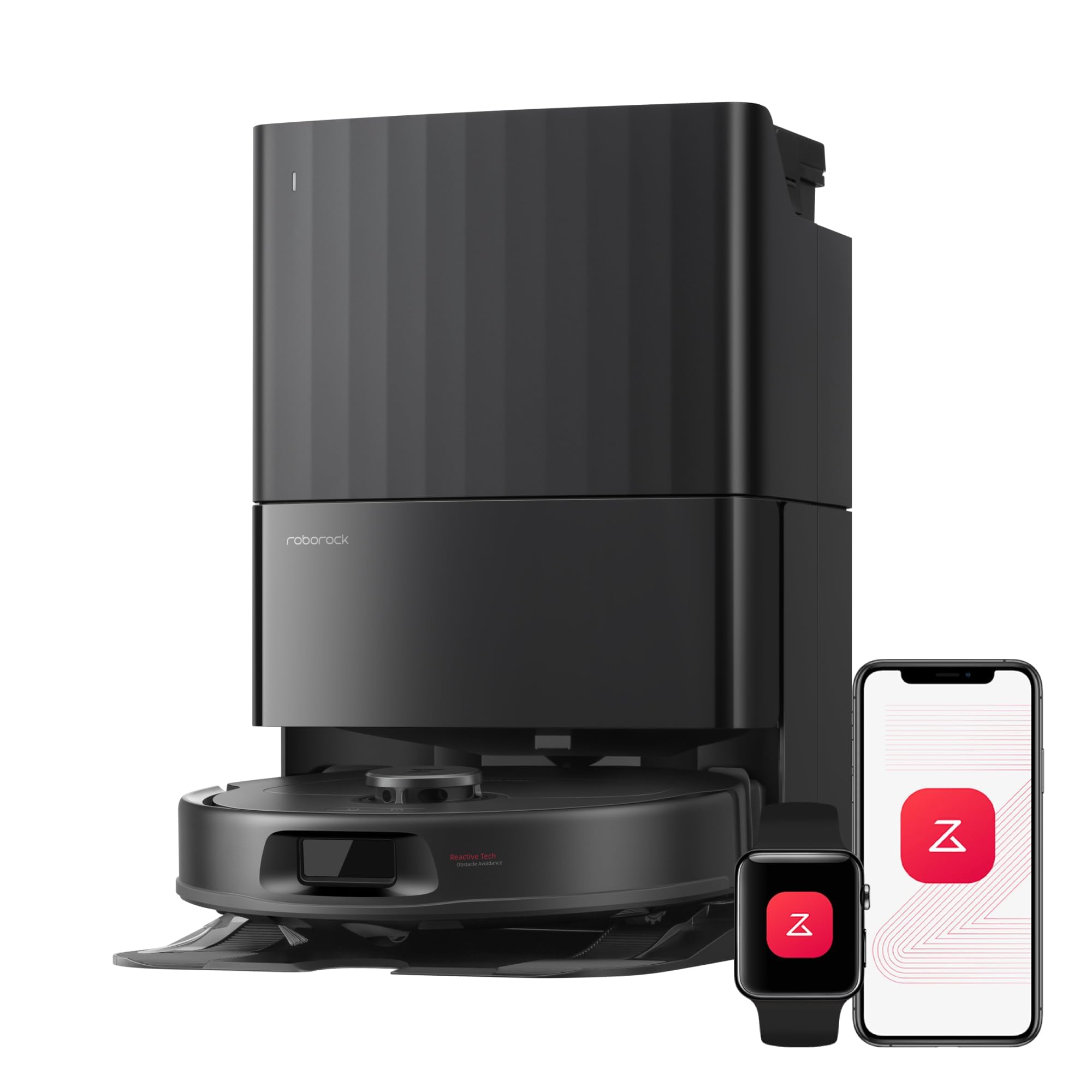
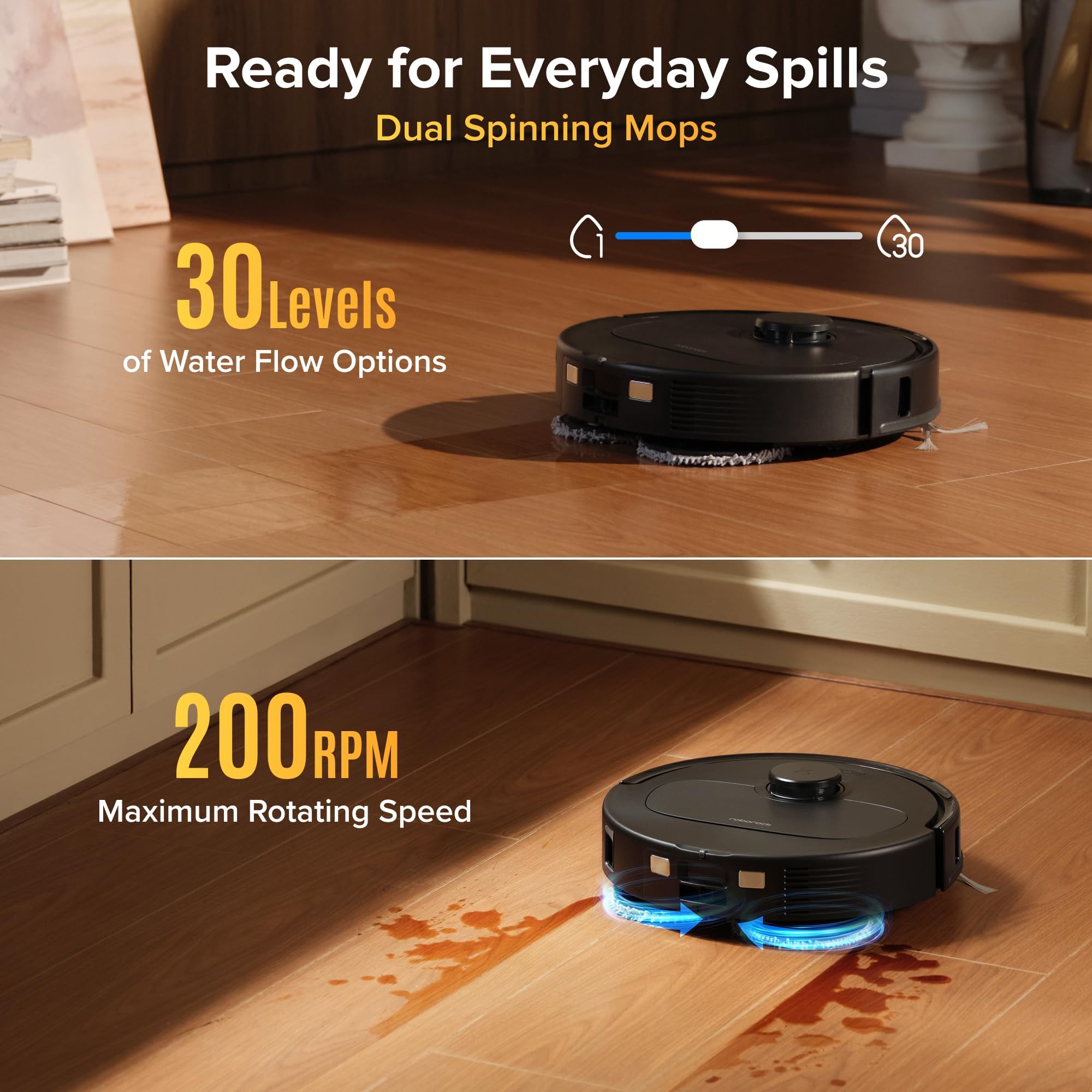
The Roborock Qrevo S Pro Robot Vacuum and Mop arrives with 18,500 Pa suction, dual spinning mop pads, and a dock that washes those pads with hot water. The pitch targets the two things that usually go wrong with combo robots: hair wrapping around the brush, and a wet mop getting dragged across a rug. Roborock's answer is a zero-tangle side brush and mop pads that lift 10mm when they reach carpet.
On paper, that is a thoughtful response to real household problems. A robot that can move from hardwood to a bedroom rug without leaving a damp trail, then clean its own mops afterward, is the kind of hands-off machine most people actually want. The question this review works through is whether the feature list adds up to a mixed-floor cleaner that earns its place, and where the fine print matters.
Quick Verdict
The Roborock Qrevo S Pro is a strong mixed-floor pick on paper. The standout is the combination of 18,500 Pa suction, spinning mops that lift 10mm over carpet, and a dock that washes mop pads with 167-degree hot water and dries them with 113-degree warm air. Roborock rates it at 55 dB, quiet enough to run while you are on a call in the next room. We recommend it for homes that mix hard floors and rugs, with an overall rating of 4.0/5. Check the live Amazon price before you buy, since the sale price changes.
Rating, Pros and Cons
| Aspect | Rating |
|---|---|
| Suction Power | 4.5/5 |
| Mopping System | 4.5/5 |
| Navigation | 4.0/5 |
| Dock and Maintenance | 4.0/5 |
| App and Smart Features | 4.0/5 |
| Value | 4.0/5 |
| Overall | 4.0/5 |
Pros
- 18,500 Pa suction aimed at carpets where weaker robots fall short
- Dual spinning mop pads that lift 10mm on contact with carpet
- Zero-tangle side brush designed to release hair rather than collect it
- Hot-water mop washing and warm-air drying at the dock to keep odor down
- LiDAR navigation that works in the dark, with multi-floor maps and no-go zones
Cons
- Wi-Fi is 2.4 GHz only, so 5 GHz-only networks will not work
- Dual-band routers may need their networks split during setup
- The self-emptying, self-washing dock takes up dedicated floor space
- Advanced SmartPlan 2.0 behavior depends on the robot learning your home over several runs
Specs at a Glance
| Specification | Detail |
|---|---|
| Suction | 18,500 Pa |
| Mop system | Dual spinning mop pads |
| Carpet mop lift | 10mm |
| Side brush | Zero-tangle design |
| Mop washing | 167-degree hot water |
| Mop drying | 113-degree warm air |
| Navigation | LiDAR mapping, works in the dark |
| Obstacle avoidance | Smart avoidance for cables and socks |
| Mapping | Multi-floor maps, no-go zones |
| Software | SmartPlan 2.0 |
| Noise level | 55 dB |
| Wi-Fi | 2.4 GHz only |
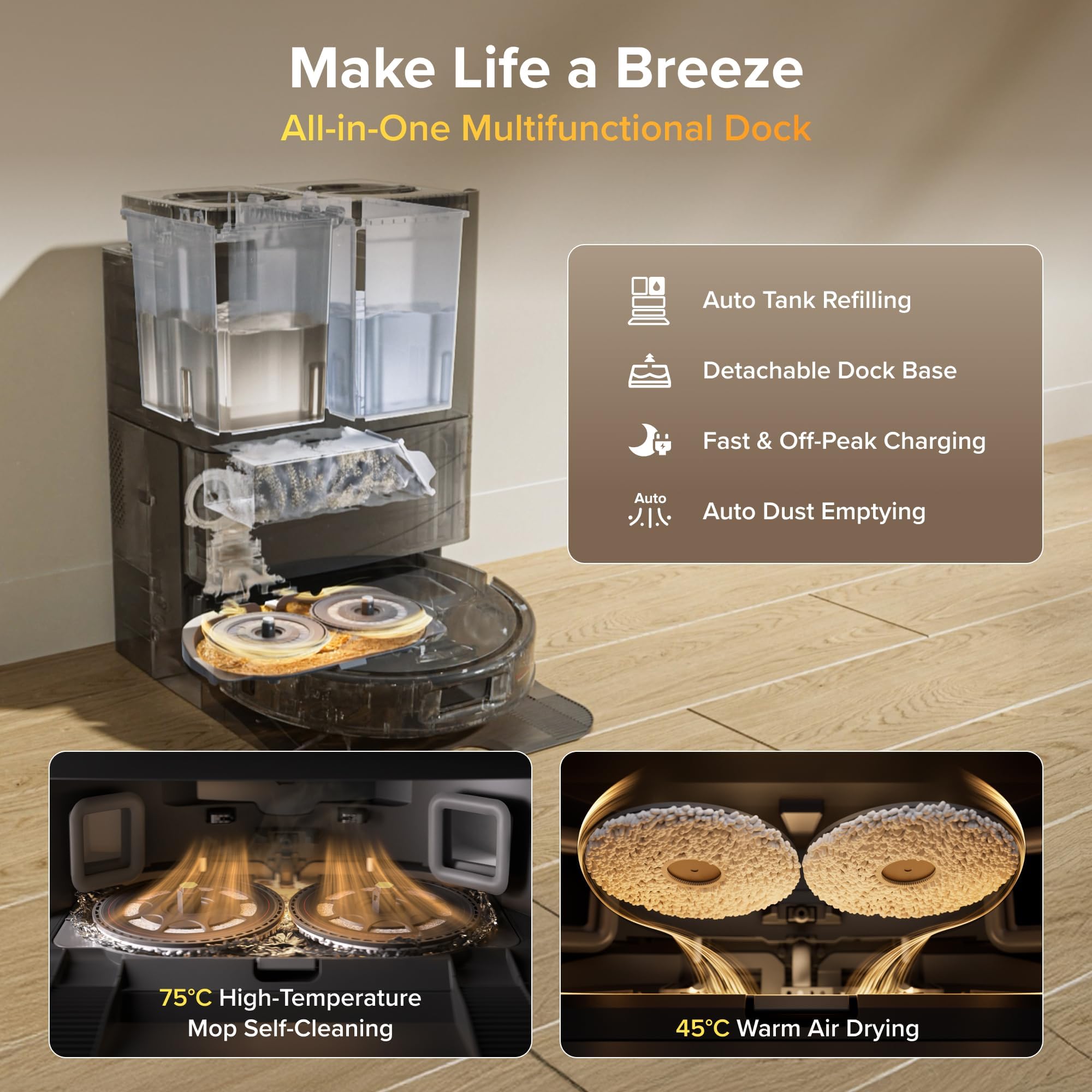
| Dock functions | Empties bin, refills water tank, washes and dries mops |
| Battery capacity | 5200 mAh |
| Runtime | up to 240 min |
| Dustbin volume | 330 mL |
| Dimensions | 13.8 x 13.9 x 3.8 in (robot); dock 13.4 x 19.2 x 20.4 in |
| Weight | 25.6 ± 0.7 lb (robot + dock combined) |
| Release date | April 2026 |
Setup & Installation
Setup for a robot like this starts with the dock, and placement matters more than people expect. The dock empties the bin, refills the water tank between runs, and washes and dries the mop pads, so it needs a spot with open floor on both sides, a nearby outlet, and a wall behind it. A hallway nook or the edge of a living room works well. Avoid tight corners where the robot has to maneuver to dock.
The one connectivity detail that matters before you start is the Wi-Fi. The Qrevo S Pro connects on 2.4 GHz only. If your router broadcasts a single combined name for its 2.4 GHz and 5 GHz bands, you may need to split them into separate networks during setup, then rejoin them afterward. This is a common stumbling block for robot vacuums in general, and it is worth doing before you open the app rather than halfway through pairing.
Once the robot is online, the first run is a mapping run. The LiDAR turret scans the layout and builds a floor plan that the app then lets you divide into rooms. Because LiDAR does not depend on ambient light, that first mapping pass works the same in a dim room as in a bright one. The robot supports multi-floor mapping, so you can carry it upstairs and save a second map rather than starting over.
Plan to use the first run as a calibration pass. Clear cables off the floor, pick up loose socks, and let the robot go through the whole space once. After that, set up no-go zones around anything you want left alone, such as a pet bowl corner or a bundle of cords behind a desk. Our recommendation is to check the dock's water tank and bin positions before the first mopping run, so the refill and empty cycles have everything they need from the start.
Performance & Reliability
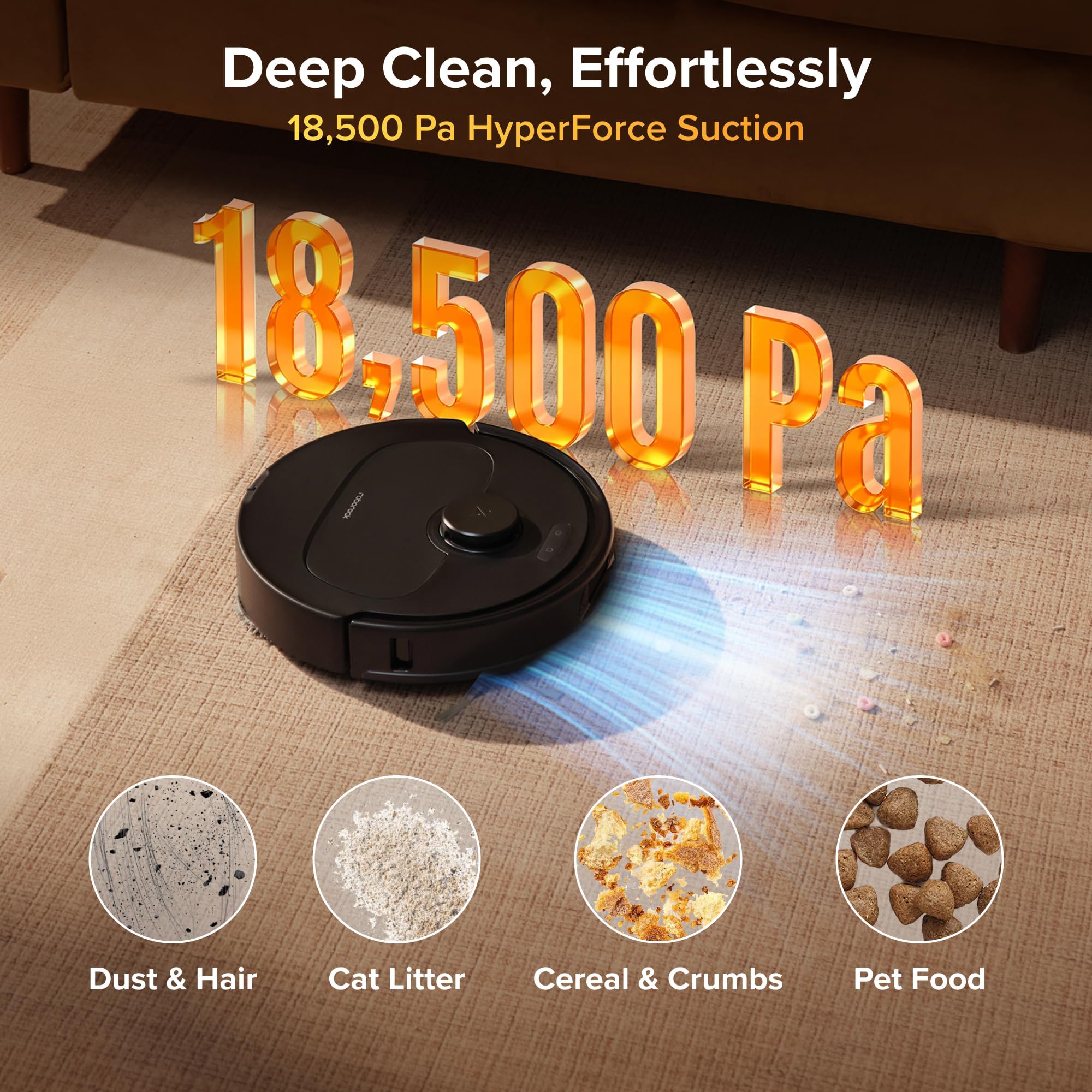
The headline number is suction. Roborock rates the Qrevo S Pro at 18,500 Pa, and the reason that figure matters is carpet. Many robot vacuums provide low suction that falls short on rugs, leaving fine debris deep in the pile. A rating this high is designed to pull dirt from fibers rather than skim the surface. Higher suction is not the only factor in carpet cleaning, since brush design and airflow also matter, but for a robot at this tier it is a strong starting point.
The mopping hardware is where this model stands apart from older designs. Roborock uses dual spinning mop pads that rotate against the floor, in contrast to previous models that used a single vibrating pad. Spinning pads apply continuous contact and friction, which is the approach meant to handle dried spills and footprints better than a pad that simply shakes in place. Mopping results always depend on the floor type and the mess, so heavily stuck-on residue may still need a manual pass.
The 10mm carpet lift is the feature most households will appreciate. Each pad raises 10mm when the robot detects carpet, so a damp mop does not drag across a rug. That one behavior addresses a long-running complaint about combo robots: you either remove the rugs before every run or accept wet patches. With the lift in place, the robot can vacuum the rug with full suction and mop the hardwood around it in the same job.
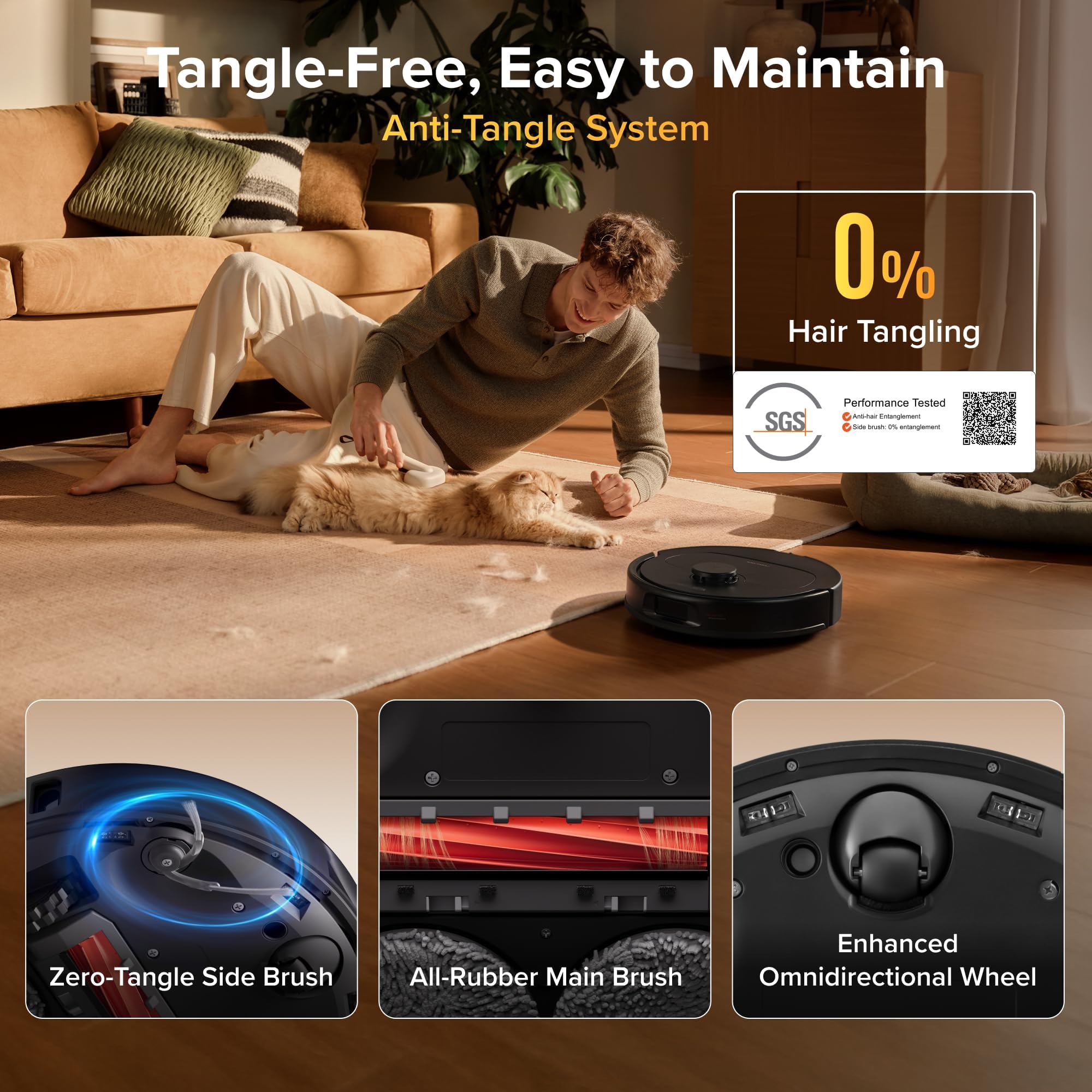
Hair is the other classic problem, and the zero-tangle side brush addresses it directly. The bristle design is meant to release tangles rather than collect them, which cuts down the scissors-and-patience routine that long hair and pet fur demand from most side brushes. Households with long-haired people or shedding pets stand to benefit the most.
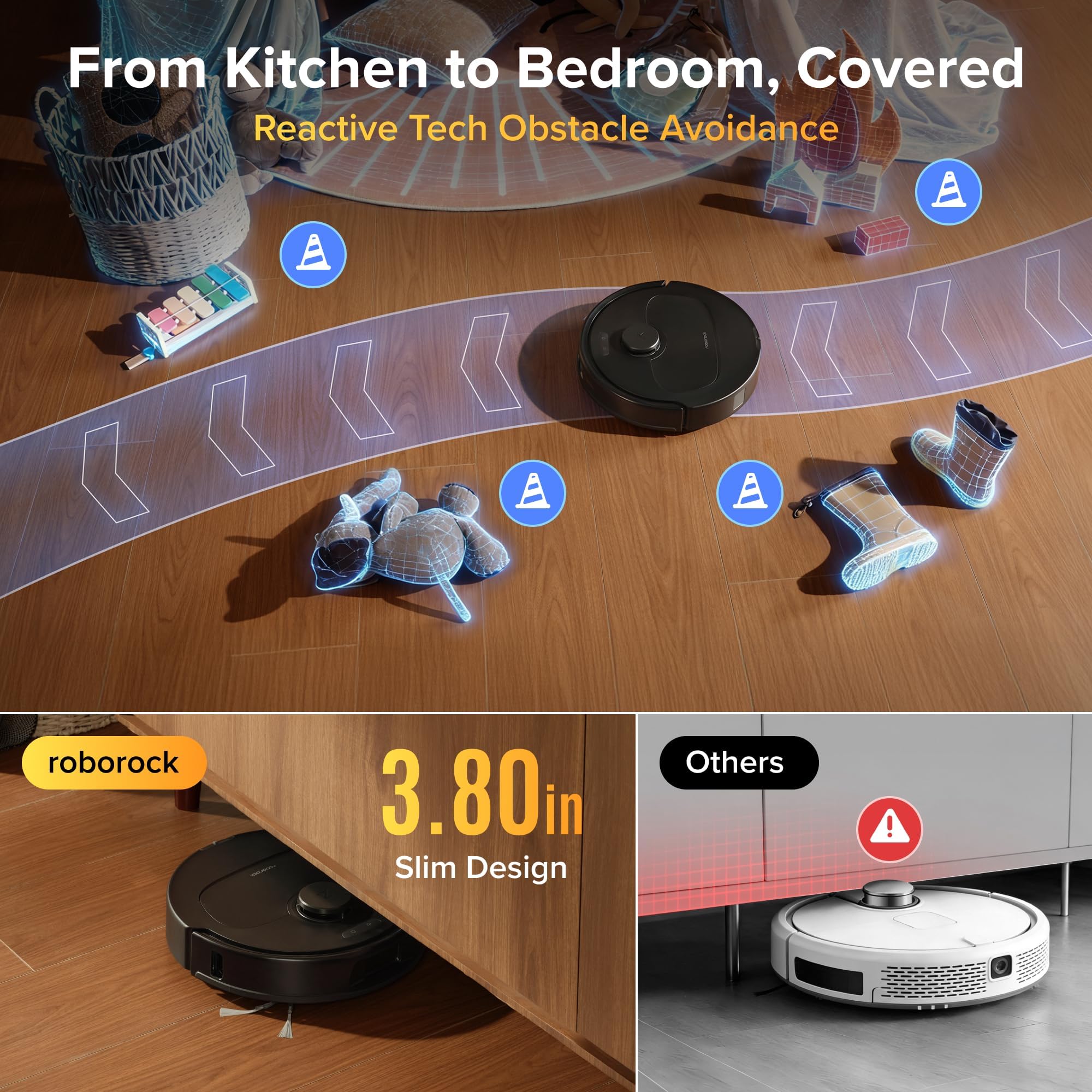
Navigation uses LiDAR, which maps the room by laser and works in the dark. That makes overnight or evening runs practical, since the robot does not need lights on to find its way. Roborock also advertises smart obstacle avoidance for cables and socks, the two items most likely to trap a robot. Treat avoidance as a helpful safeguard rather than permission to leave the floor cluttered, because no robot handles every object perfectly.
The dock handles the unglamorous part. After mopping, it washes the pads with 167-degree hot water, then dries them with 113-degree warm air. Those figures are quoted as Roborock presents them, without a stated unit. The purpose is to stop pads from sitting damp, which is what causes the sour smell that plagues many mopping robots after a few days. Hot-water washing is a sound approach to that problem, though the claim that it prevents odor is a manufacturer promise rather than a lab result.
Roborock rates operating noise at 55 dB, which it positions as quiet enough to run while you take a call in the next room. That is a stated rating, not a measured result, and real-world loudness will vary with the suction mode and floor type.
App & Smart Home Integration
The software layer is called SmartPlan 2.0, and it is the part that decides how hands-off this robot really is. It learns your floor layout, your floor types, and your cleaning history, then adjusts suction, water level, and route automatically. The idea is that you stop micromanaging modes and let the robot make sensible choices for each room.
The adjustments follow logic that is easy to understand. On carpet, the robot raises suction and lifts the mops. On hardwood, it makes longer passes and uses more water. In a mixed-floor home, that means the same cleaning job can produce very different behavior from room to room without you touching a setting. For people who find robot vacuum menus tedious, that automation is a real selling point.
Mapping features round out the app. Multi-floor mapping lets you save separate maps for different levels of the house, so the robot recognizes where it is when you carry it upstairs. No-go zones let you draw off areas you want it to avoid, such as a pet feeding corner, a tangle of cables, or a delicate rug you would rather clean by hand.
Room-by-room control is where most owners spend their time in the app. You can send the robot to a single room after a spill, schedule a full-home run for when you are out, or set different behavior for different rooms. Because SmartPlan 2.0 learns from cleaning history, expect its automatic choices to improve as the robot completes more runs.
The connectivity picture is simple: the robot joins your home network over 2.4 GHz Wi-Fi and is controlled through the Roborock app. For buyers who care about voice control or a specific smart home ecosystem, the practical step is to look at the integrations listed on the Amazon page before ordering. Likewise, anyone sensitive about how data is handled should read the app's privacy settings during setup, as robots that build maps of your home deserve that scrutiny.
Battery Life & Power
The Qrevo S Pro's battery capacity is listed at 5200 mAh. What the design itself tells us is that Roborock has built the dock to reduce how often you need to step in. Between runs, the dock refills the water tank, empties the bin, and washes the mops, so the robot can return to work with fresh water and an empty bin rather than waiting for you.
That matters more than it sounds. A large share of the effort in owning a robot vacuum is the routine upkeep: emptying the bin, rinsing pads, topping off the tank. By automating those steps, the Qrevo S Pro turns a daily chore into an occasional check.
A smaller apartment will rarely test the limit, while a sprawling single-level home is where battery capacity makes the difference between one run and two.
Value for Money
Amazon pricing on this model moves with frequent sales, so the figure shown is a snapshot. A deal listing reported a discount of about 36% off the usual price on Amazon, but sales like this are time-sensitive, so confirm the live price before you decide. What we can judge is the feature set: hot-water mop washing, warm-air drying, a self-emptying dock, spinning mops, and carpet lift. Robots with this combination commonly sit at a premium tier, so the value case depends on how close the live price comes to the discounted figure.
Against budget-tier robots, you are paying for the dock and the mopping system. Against higher-end competitors, you may give up some premium extras, but the core trio of strong suction, carpet-aware mopping, and automated maintenance is in place.
Who Should Buy
Buy it if your home mixes hardwood and carpet. The 10mm mop lift and floor-aware SmartPlan 2.0 are built for exactly that layout. It also suits pet owners and long-haired households, where the zero-tangle side brush earns its keep, and anyone who wants a dock that handles bin emptying, water refills, and mop washing with little intervention.
Also skip it if your network is 5 GHz only, because the 2.4 GHz-only Wi-Fi will not connect. And if you prefer to wait for long-term independent results before spending money, give this one time.
Bottom Line
The Roborock Qrevo S Pro is a feature-rich mixed-floor robot, and the combination of carpet-lifting spinning mops, 18,500 Pa suction, and a self-cleaning dock is exactly what most busy households want. The detailed performance claims come from the manufacturer's own specifications, so expect real-world results to vary by home. We recommend it for mixed-floor homes, pet owners, and anyone who wants a hands-off dock.
Robot vacuums have spent years promising to take cleaning off your plate, and most of them still leave you with a pile of maintenance. The Qrevo S Pro is one of the more convincing attempts to fix that, particularly with the carpet-aware mopping and the hot-water dock. If the live price is right, it is an easy one to like.
-- Miles Danner, Consumer Electronics Editor
*Disclosure: As an Amazon Associate, Revuzia earns from qualifying purchases. Prices and availability are accurate as of publication and may change.*