Best Monitors: Sony, LG and BenQ Tested for PS5, PC, and OfficeBest Monitors: Sony, LG and BenQ Tested for PS5, PC, and OfficeBest Monitors: Sony, LG and BenQ Tested for PS5, PC, and OfficeBest Monitors: Sony, LG and BenQ Tested for PS5, PC, and Office
September 29, 2026
Our three finalists run from $209.99 to $349.99, and two are 2560x1440 panels rated up to 240 Hz while the third is 1920x1080 at 100 Hz. Resolution, refresh rate, stand design, and ports decide what each one is good at, and marketing pages rarely say which trade-off you are
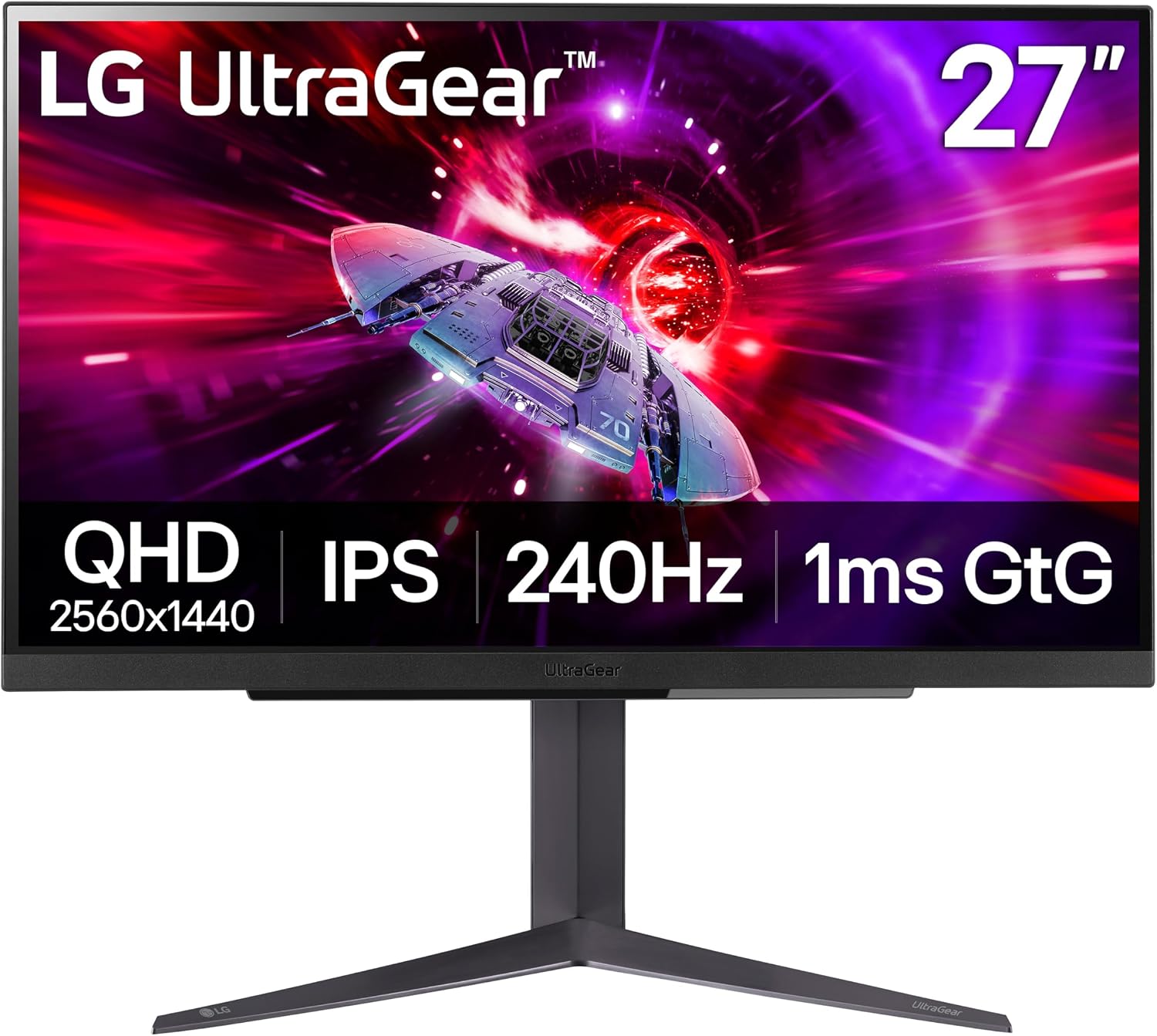
Our three finalists run from $209.99 to $349.99, and two are 2560x1440 panels rated up to 240 Hz while the third is 1920x1080 at 100 Hz. Resolution, refresh rate, stand design, and ports decide what each one is good at, and marketing pages rarely say which trade-off you are actually buying.
This guide compares the LG UltraGear 27GR83Q-B, the Sony PlayStation 27" Gaming Monitor, and the BenQ GW2786TC. We picked them because they cover three common reasons people shop for a monitor: a PS5 or console-first desk, a fast and affordable PC gaming screen, and a home-office monitor that pairs cleanly with a laptop. Every pick below is anchored on numbers and specs, and we say plainly where each monitor falls short or where we lack measurements.
Why You Can Trust This Guide
Every monitor we cover is evaluated on the same criteria: panel resolution and refresh behavior, sustained SDR brightness and contrast ratio where lab conditions allow, and color gamut coverage against sRGB, DCI-P3, and Adobe RGB. We also assess the physical side: stand tilt, swivel, pivot and height range, menu and button usability, port selection, and built-in speaker quality. For gaming panels we look for tearing and input lag on real games with variable refresh rate enabled. We accept no paid placement.
We cross-reference three kinds of data: published lab measurements from independent test outlets, manufacturer spec sheets, and hands-on impressions. When a manufacturer claim and an independent measurement disagree, we report both so you can weigh them yourself. A rated spec is called a rating, and a measured number is called a measurement. Where we have only a rating for a product, as with the LG's response time, we say so.
Spotted an error, or want us to test a specific monitor? Email [email protected] with corrections or product nominations.
Our Top Picks at a Glance
| Product | Best For | Price | Retailer Rating |
|---|---|---|---|
| Sony PlayStation 27" Gaming Monitor | Best Overall | $349.99 | 5.0/5 |
| BenQ GW2786TC | Best Budget | $209.99 | 2.7/5 |
| LG UltraGear 27GR83Q-B | Best for Competitive PC Gaming | $289.90 | 2.5/5 |
Ratings are retailer aggregates from different stores, so treat them as weak signals rather than a ranking. The Sony is the most complete package, the BenQ is the cheapest and the best fit for laptops, and the LG lists 1440p at 240 Hz for less than the Sony.
Best Overall: Sony PlayStation 27" Gaming Monitor
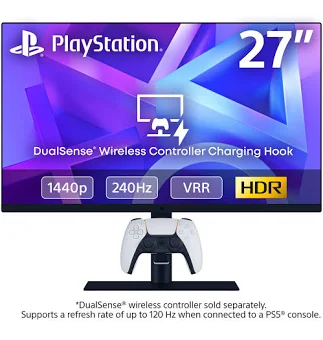
The Sony PlayStation 27" Gaming Monitor earns the top spot because it is the only monitor in this group that pairs a 2560x1440 IPS panel with tested color performance, console-specific tuning, and a genuinely useful accessory, all at $349.99.
The panel is a 27-inch IPS running at up to 240 Hz on PC and Mac and up to 120 Hz with VRR on PS5 and PS5 Pro, with AMD FreeSync on PC. In independent testing on a PS5 Pro running Spider-Man 2, there was no tearing and no perceptible input lag. Color reproduction across sRGB and DCI-P3 tested as excellent, and the default picture mode looked lifelike and cinematic. Full-screen HDR is a standout for a non-OLED panel, and Auto HDR tone-mapping calibrates HDR during PS5 setup so you do not have to fiddle with sliders.
The connectivity is the broadest here: two HDMI 2.1 ports, one DisplayPort 1.4, one USB-C (5 Gbps, compatible with PlayStation Link adapters), two USB-A, one USB-B, and a 3.5 mm headphone jack, plus built-in stereo speakers and VESA mounting. The signature feature is the DualSense charging hook, which swings down or stows behind the screen on either side. It is a small idea that makes a real difference on a desk where controller battery life is limited. It charges at normal speed only, so it is a convenience, not a fast charger.
Who should buy it: PS5 owners who also game or work on a PC, and anyone who wants one monitor for both a console and a desktop.
Pros
- 1440p IPS at up to 240 Hz on PC and 120 Hz VRR on PS5, with FreeSync
- Excellent sRGB and DCI-P3 reproduction and strong full-screen HDR
- Two HDMI 2.1 ports, DisplayPort 1.4, USB-C, and built-in speakers
- Charging hook keeps a DualSense topped up at your desk
Cons
- The hook has no magnet or latch, so a nudge can knock the controller off
- Delta-E accuracy is slightly below typical for gaming monitors, and it is an LCD that tops out at 1440p, not OLED
Sony PlayStation 27" Gaming Monitor is not available on Amazon. Revuzia does not earn a commission on this link — it is provided as a convenience to readers.
Best Budget: BenQ GW2786TC

At $209.99, the BenQ GW2786TC is priced well below the Sony, and it is the only monitor here built around a laptop workflow rather than a gaming one.
The 27-inch IPS panel runs at 1920x1080 and up to 100 Hz, with a 5 ms GtG response time. Testing shows it reaching 260 nits of maximum sustained SDR brightness, which is typical for the price. Measured contrast came in at 1500:1, high for a budget IPS panel and above the 1300:1 spec. Color coverage measured 100% sRGB, 84% DCI-P3, and 78% Adobe RGB, so everyday office and web work looks accurate.
The connectivity is where it justifies the "Budget" label without feeling cheap. It has HDMI, DisplayPort, and USB-C with 65 W Power Delivery, so one cable can carry video and charge a laptop. Two downstream USB-A ports and a DisplayPort output let you daisy-chain a second monitor. It also has built-in speakers, a noise-canceling microphone, and an ambient light sensor for automatic brightness. The stand is the most flexible of the three: 25 degrees of tilt, 45 degrees of swivel each way, 90 degrees of pivot, and 130 mm of height adjustment.
Who should buy it: Home-office workers, MacBook and USB-C laptop users, and anyone building a portrait or multi-monitor setup.
Pros
- USB-C with 65 W Power Delivery plus a DisplayPort daisy-chain output
- Most adjustable stand in the group, including 90 degrees of pivot
- Measured 1500:1 contrast and 100% sRGB
- Lowest price, at $209.99
Cons
- 1080p at 27 inches with a 100 Hz cap and 5 ms GtG is not built for gaming
- IPS glow makes dark scenes look grayish, and 260 nits can look dim near direct sunlight
- The menu is cumbersome with buttons on the lower right, and the speakers lack volume and bass
Best for Competitive PC Gaming: LG UltraGear 27GR83Q-B
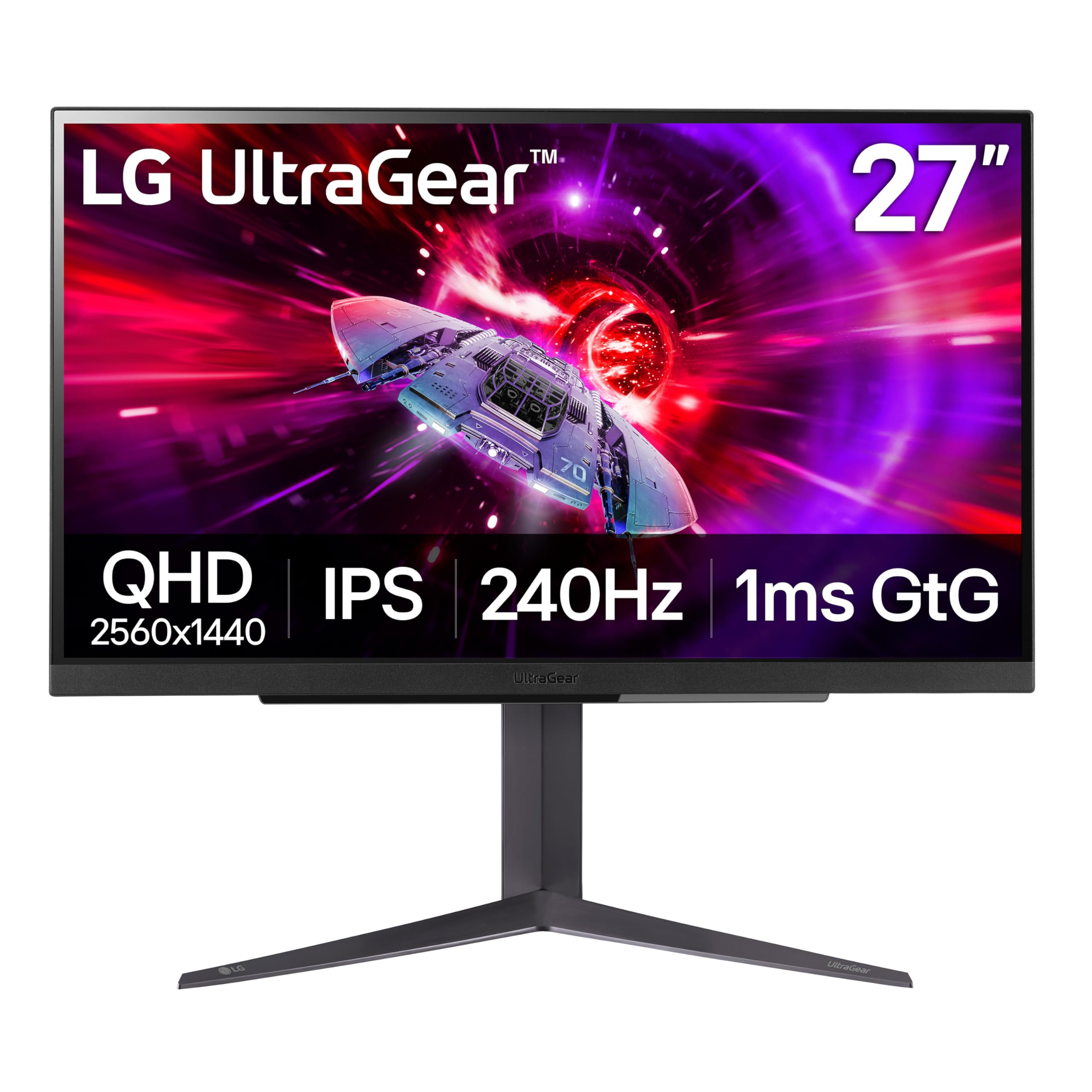
The LG UltraGear 27GR83Q-B is listed with the same 2560x1440 resolution and 240 Hz refresh rate as the Sony for $289.90, which makes it the lowest-cost route to a fast QHD gaming screen in this group, with one important caveat: we have no independent measurements for it.
The specs are built for speed. It is a 27-inch IPS panel with a 1 ms response time (manufacturer-rated, not measured), a 240 Hz refresh rate, and both NVIDIA G-Sync compatibility and AMD FreeSync Premium, so it covers either brand of graphics card. It carries DisplayHDR 400 certification, HDMI 2.1 and DisplayPort inputs, and a 4-pole headphone output with DTS Headphone:X. Retailer listings say the HDMI 2.1 port supports 120 fps from a PS5 or Xbox Series X.
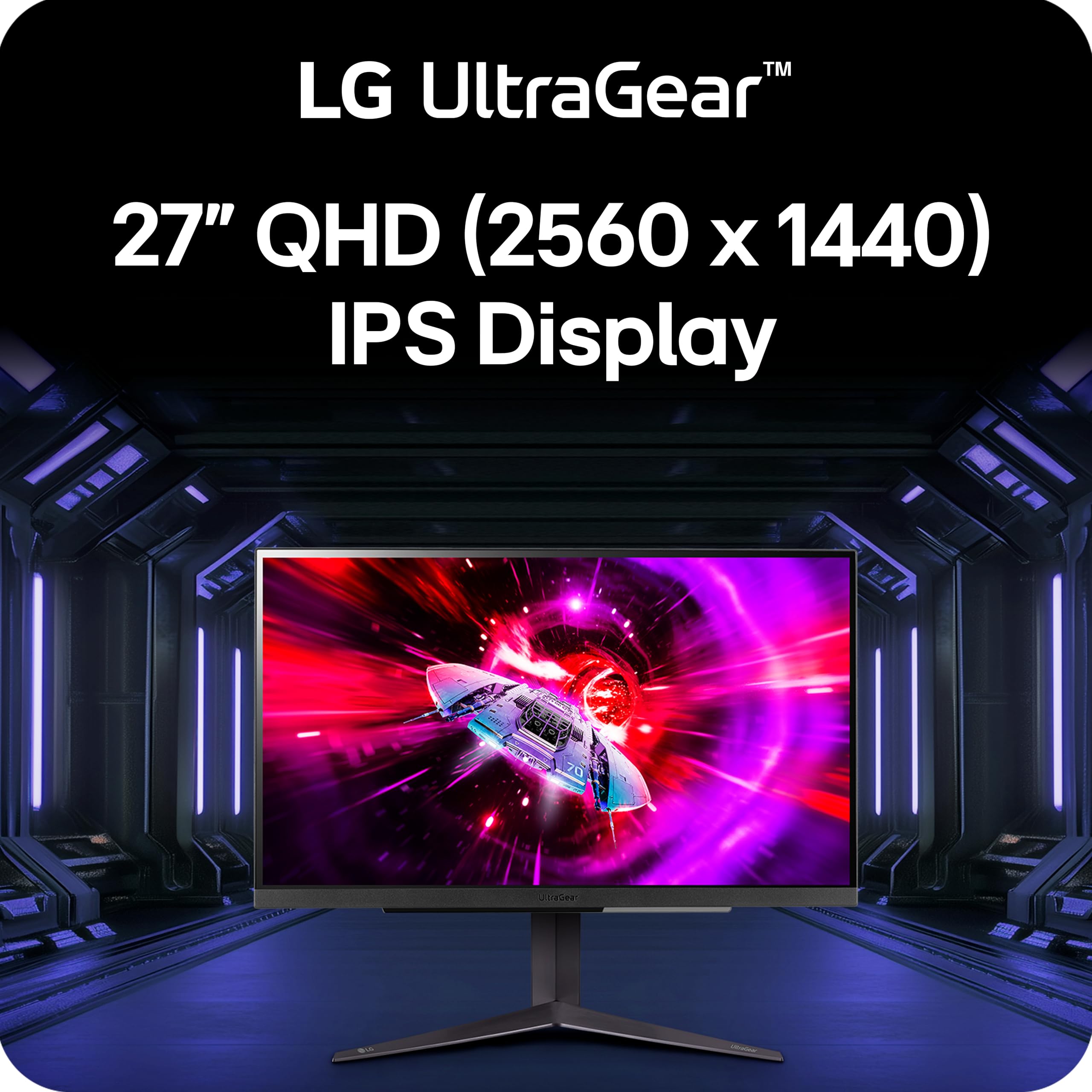
The stand offers tilt, height, and pivot adjustment, which gives it a flexible setup. The finish is a clean black that suits a gaming desk without drawing attention. Real-world motion clarity, brightness, and color accuracy remain unverified, and its retailer rating of 2.5/5 across 199 reviews is the lowest of the three, so buy from a seller with an easy return policy.
Who should buy it: PC gamers who play fast shooters or esports titles and want high frame rates at 1440p without paying the Sony's premium. If you want a monitor aimed at a GPU rather than a console, this is the one.
Pros
- 2560x1440 at 240 Hz with a 1 ms rating, at $289.90
- Works with both G-Sync and FreeSync Premium graphics cards
- HDMI 2.1 for 120 fps on PS5 and Xbox Series X, per retailer listings
- Tilt, height, and pivot stand
Cons
- No independent test data, so its speed and picture quality are unproven
- DisplayHDR 400 is the entry tier, so HDR will not look dramatic
- No console extras like Auto HDR calibration or a controller hook, both of which the Sony includes
How We Chose
We started with one rule: every finalist had to be a monitor a normal buyer can purchase today. From there we weighed six criteria: resolution and refresh rate, panel color performance, motion behavior and response time, connectivity, stand ergonomics, and price.
Resolution and refresh rate mattered first, because they define what the monitor can do. Two of the three are 1440p at 240 Hz, and the third is a 1080p 100 Hz office panel, so we treated the BenQ as the value and productivity pick rather than judging it against gaming panels on gaming terms. Next we looked at measured and tested picture quality, including brightness, contrast, and gamut coverage. Then we evaluated the practical details: how many inputs each monitor has, whether it can charge a laptop, and how far the stand moves.
Price was the last filter, not the first. A monitor was not disqualified for costing more, but it had to earn the difference with real features. The Sony's premium over the LG has to buy something concrete, and it does: tested color performance, PS5 tuning, and the charging hook. Where evidence was thin, as with the LG, we said so instead of guessing. A monitor would have been dropped for a serious flaw such as visible tearing, unusable menus, or a stand that could not be adjusted at all. None of the three hit those limits.
What to Look For
Resolution and screen size. On a 27-inch panel like the Sony, LG, and BenQ, 1440p is the sweet spot, giving sharper text and game detail than 1080p without the GPU demands of 4K. A 1080p panel like the BenQ looks noticeably softer at that size, which is acceptable for documents and video calls but less so for games.
Refresh rate and response time. A 240 Hz panel like the LG or the Sony on PC feels smoother than a 100 Hz panel, and a 1 ms rating (LG) suggests faster pixel transitions than a 5 ms rating (BenQ), though a rating is not a measurement. If you play competitive shooters, prioritize both. If you mostly work in spreadsheets, neither matters much.
Console versus PC support. PS5 tops out at 120 Hz, so a console-first buyer benefits more from HDMI 2.1, VRR, and Auto HDR than from a 240 Hz headline number. The Sony is built around this, and the LG's listing says its HDMI 2.1 port supports 120 fps on consoles.
Connectivity and laptop use. Count the inputs you actually need. If you plug in a laptop daily, USB-C with Power Delivery (the BenQ's 65 W) replaces a separate charger and cuts desk clutter. If you have a console and a PC, two HDMI 2.1 ports plus DisplayPort (the Sony) means no cable swapping.
Stand ergonomics and HDR. A good stand lets you set the screen at eye level, so check tilt, height, and pivot. The BenQ leads with 25 degrees of tilt and 130 mm of height. For HDR, know the tiers: DisplayHDR 400 (LG) is entry-level, while strong full-screen HDR (Sony) is much more convincing on a non-OLED panel.
Bottom Line
For a PS5 owner who also games on a PC, pick the Sony PlayStation 27" Gaming Monitor: 120 Hz VRR on console and up to 240 Hz on PC from a single 1440p panel, with a charging hook that keeps a DualSense topped up during long sessions.
For a home-office worker who charges a laptop from the desk, pick the BenQ GW2786TC at $209.99. Its 65 W USB-C Power Delivery replaces a separate charger, and its 90 degrees of pivot and 130 mm of height adjustment make it easy to set up in portrait or beside a second screen.
For a competitive PC gamer who wants 1440p at 240 Hz without paying the Sony's premium, pick the LG UltraGear 27GR83Q-B at $289.90. It costs less than the Sony while listing the same resolution and refresh rate, and G-Sync compatibility plus FreeSync Premium keep it working with any current graphics card. Its performance is unverified and its retailer rating is the weakest here, so the Sony is the safer buy if the extra cost fits your budget.
Console makers are now designing monitors as part of the desk setup rather than an afterthought, and USB-C power delivery is showing up in affordable office panels. The best choice depends far more on what you plug into it than on any single spec.
-- Theo Chan, Hardware Testing Director
Disclosure: As an Amazon Associate, Revuzia earns from qualifying purchases. Prices and availability are accurate as of publication and may change.