Anker Laptop Power Bank Review: 165W Output and Built-In Cables
November 16, 2026
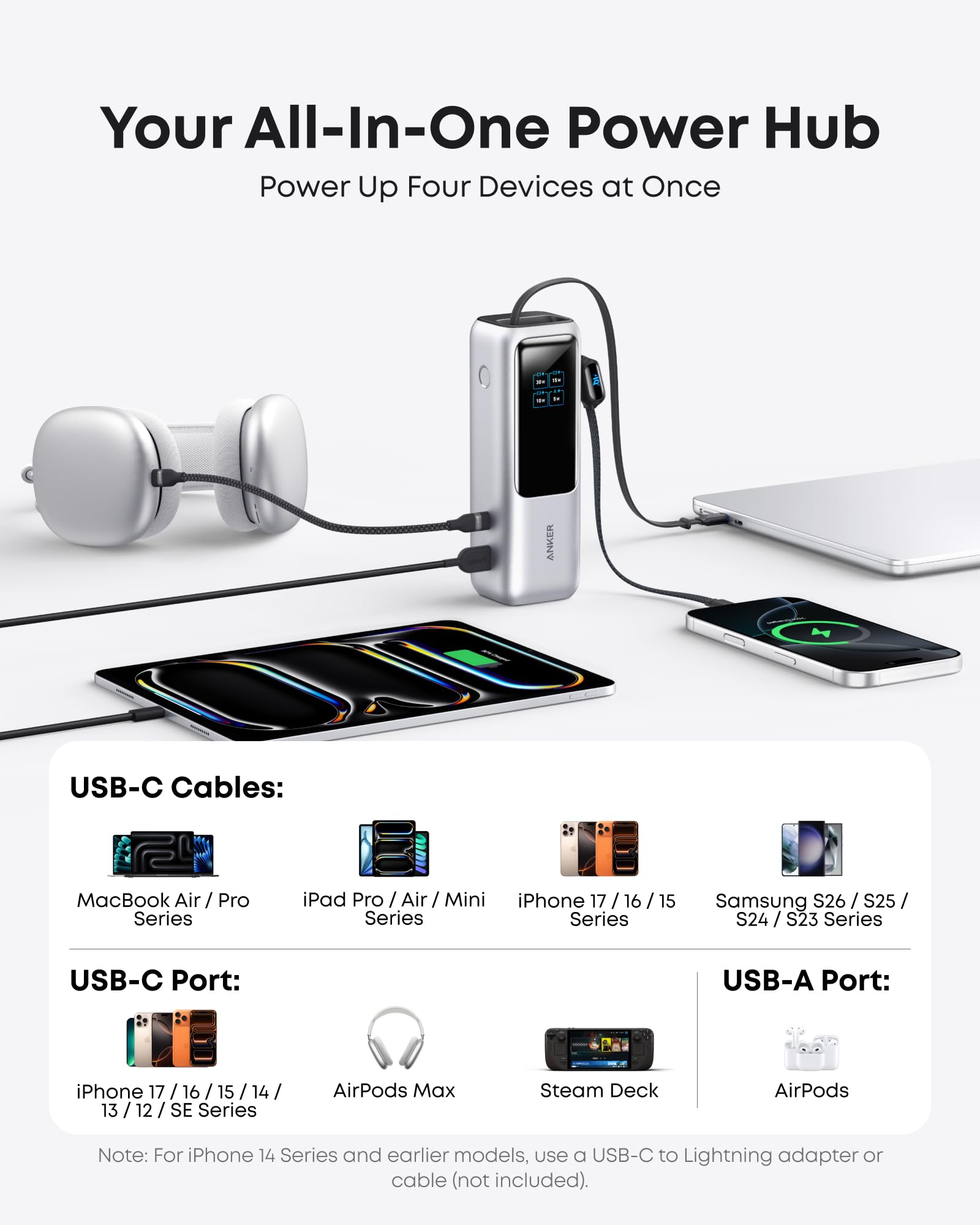
The Anker Laptop Power Bank (A1695) arrives at $119.99 with a promise that sounds almost too tidy: 25,000mAh, 165W of output, and two USB-C cables already built into the body. The pitch is that a dead laptop or phone should never again depend on remembering a cable.
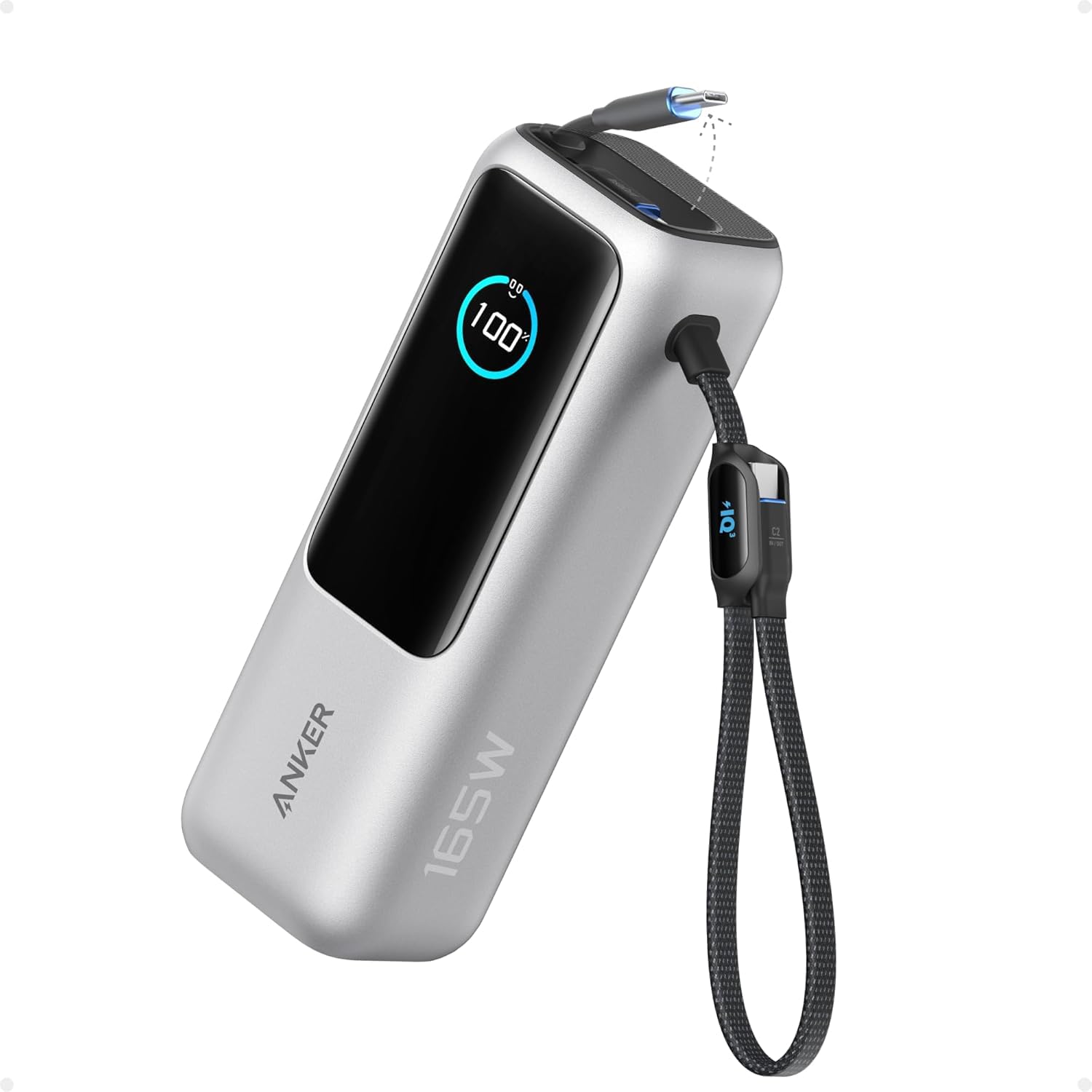
The Anker Laptop Power Bank (A1695) arrives at $119.99 with a promise that sounds almost too tidy: 25,000mAh, 165W of output, and two USB-C cables already built into the body. The pitch is that a dead laptop or phone should never again depend on remembering a cable. On paper it is a very complete travel charger, and the hands-on results from reviewers who ran it through laptops, phones and a handheld console back that up.
Quick Verdict
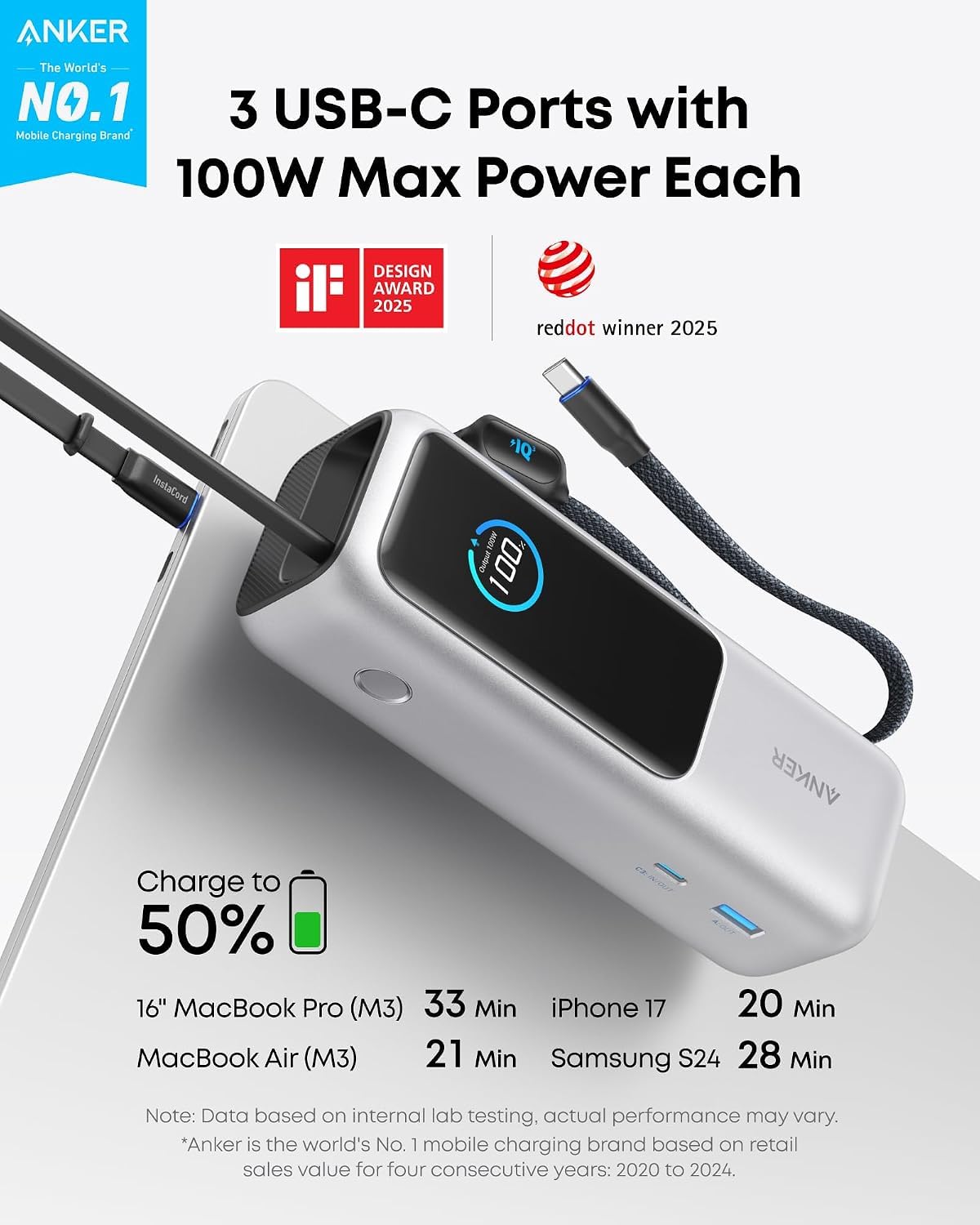
This is a strong all-in-one laptop power bank, and we recommend it. At $119.99 you get 165W output, two built-in cables, a detailed color display and a capacity that stays within airline limits. The trade-offs are real: it weighs 595g, it has no wireless or MagSafe charging, and the full 165W only appears when two USB-C ports are in use. Overall rating: 4.4/5.
| Aspect | Rating |
|---|---|
| Charging Performance | 4.5/5 |
| Capacity & Efficiency | 4/5 |
| Build & Portability | 4/5 |
| Safety & Features | 4.5/5 |
| Value | 4/5 |
| Overall | 4.4/5 |
Pros
- 165W total output when two USB-C ports are in use
- Two built-in USB-C cables: a retractable one and a carry-strap one, both carrying power in and out
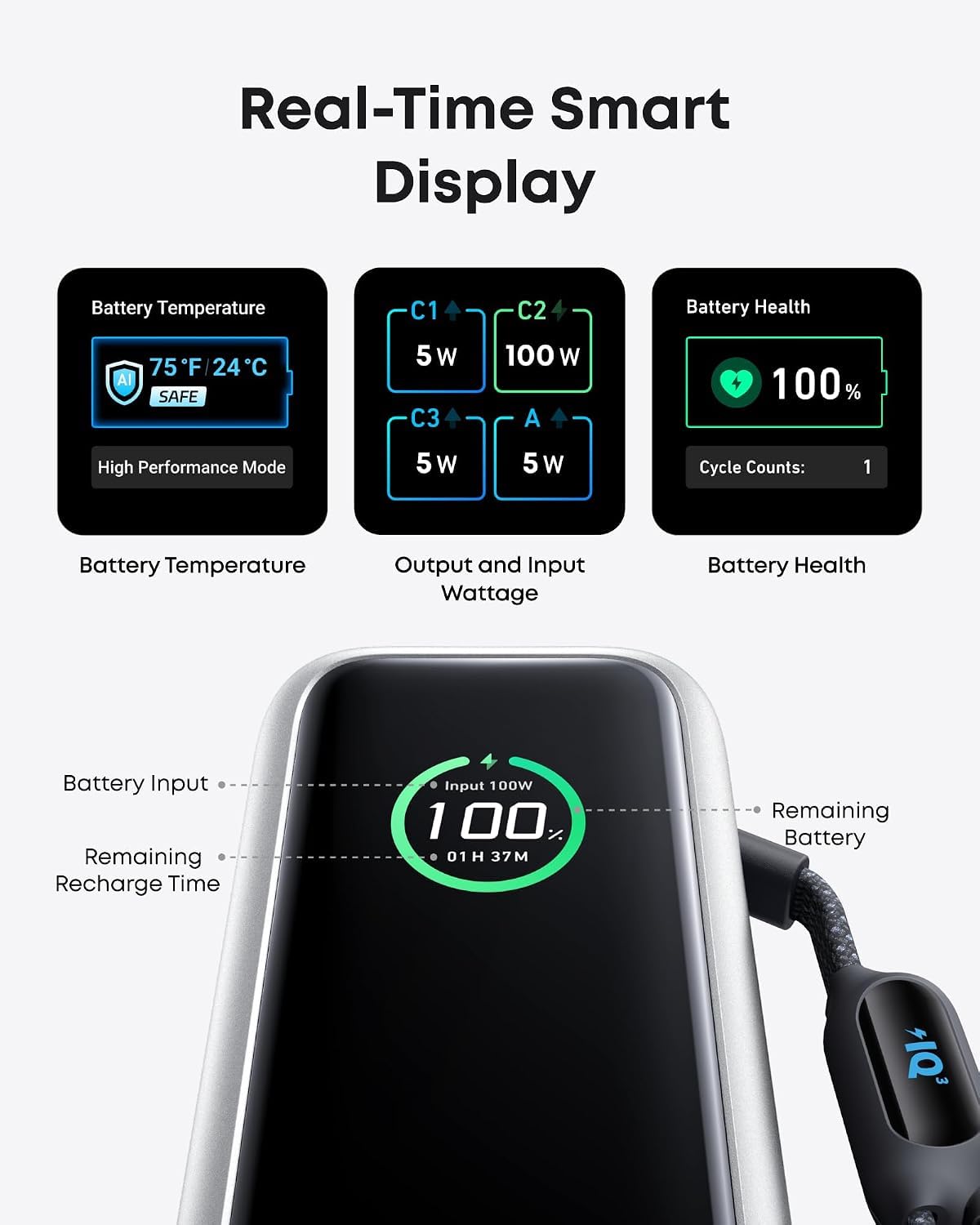
- Color TFT display with per-port wattage, temperature and battery health
- 100W USB-C input, from any of the USB-C ports
- 90Wh rating sits under the 100Wh airline limit and is listed as flight-approved
Cons
- Heavy at 595g and too thick for a pocket
- Output is capped at 130W when three or four devices are connected
- No wireless or MagSafe charging
- Anker puts real usable output at about 63-70Wh out of the 90Wh rating
Specs at a Glance
| Specification | Detail |
|---|---|
| Price | $119.99 |
| Model | A1695 |
| Capacity | 25,000mAh / 90Wh rated, about 63-70Wh usable |
| Total output | 165W max |
| Ports | 3x USB-C (two are built-in cables, one is a physical port), 1x USB-A |
| Per-port output | 100W max per USB-C, 33W max USB-A |
| Output by combination | Any two USB-C: 165W. One USB-C plus USB-A: 133W. Three or four devices: 130W max |
| Input | 100W max from any USB-C port (peak applies above 25% battery) |
| Input voltages | 5V/3A, 9V/3A, 12V/3A, 15V/3A, 20V/5A |
| Recharge time | 30% in 20 minutes, about 120 minutes to full with a 100W+ charger |
| Dimensions | 6.18 x 2.12 x 1.93 in |
| Weight | 595g / 21.0 oz |
| Built-in cables | Retractable USB-C, about 27 in; strap USB-C, 8.6 in |
| Display | TFT color screen: battery %, per-port input/output wattage, recharge time, temperature, battery health and charge cycles |
| Safety | ActiveShield 2.0, temperature checked over 3,000,000 times per day |
| Pass-through charging | Yes |
| Trickle-charge mode | Yes, for low-current devices such as smartwatches and earbuds |
| Wireless / MagSafe | None |
| Airline status | Flight-Approved |
| Colors | Space Black, Silver |
| Awards | iF Design Award 2025, Red Dot Winner 2025 |
| Where to buy | Anker.com and Amazon |
Charging Performance
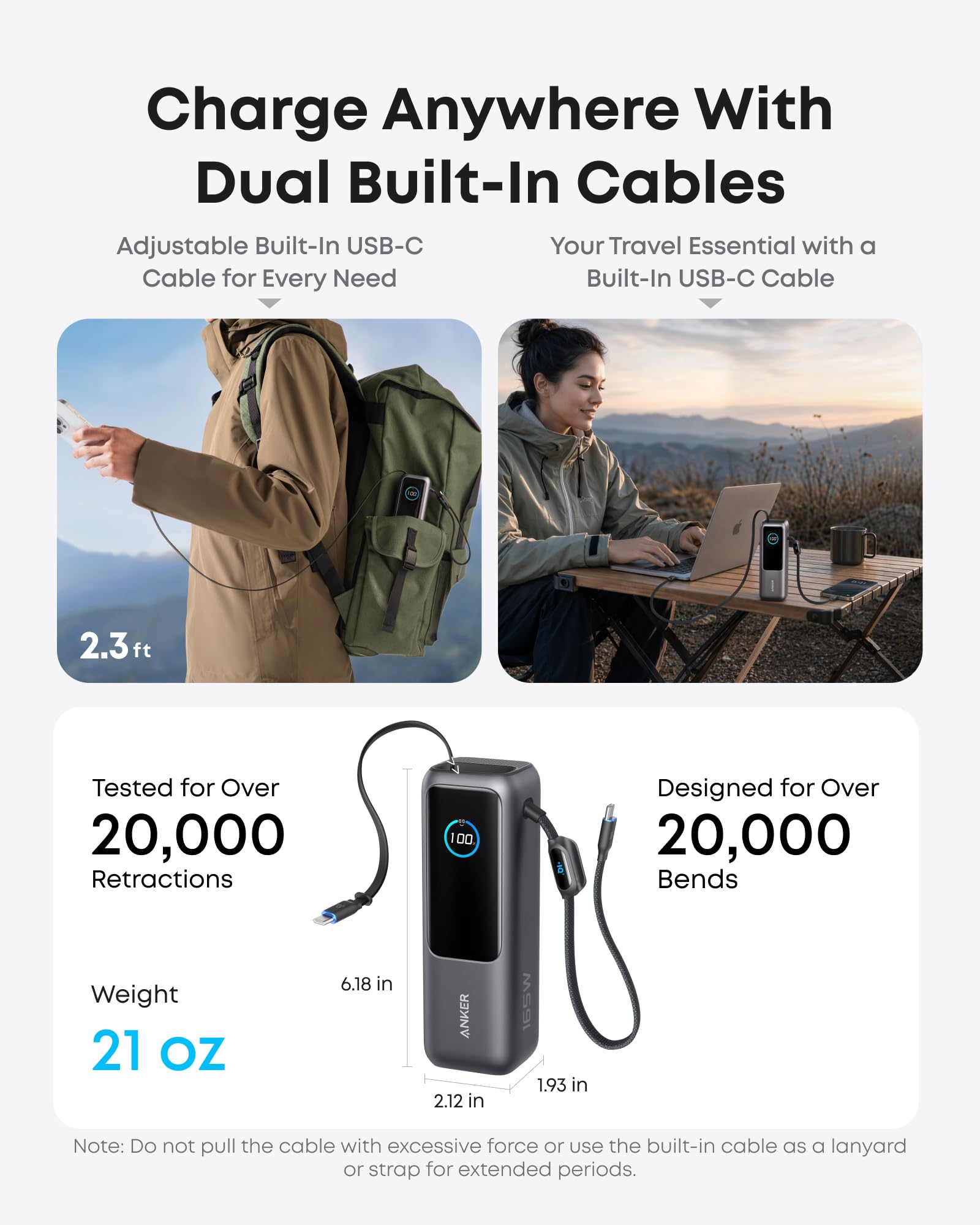
The headline number is 165W, but how you reach it matters. Anker states that any two USB-C ports together deliver the full 165W. Add a USB-A device to a single USB-C load and the total settles at 133W. Connect three or four devices and the ceiling is 130W. One reviewer described 165W as an almost theoretical figure that needs all four ports engaged, but the manufacturer's breakdown is the one that holds, and it is the one to plan around.
Each USB-C port tops out at 100W, which is enough for most laptops. Reviewers pushed a 16-inch MacBook Pro from 10% to 78% on this bank, worth about nine extra hours of use, with the laptop peaking at around 90W of draw. A separate 16-inch MacBook session recovered 68% in just over 50 minutes. Another reviewer charged a 15-inch MacBook Air at 70W, taking it from flat to 30% in 21 minutes, while a second laptop charged at 63W at the same time without slowing the first.
Phones are just as easy. An iPhone 15 went from near-dead to 70% in about 40 minutes, and a Galaxy S23 Ultra went from 5% to 100% in under an hour. An iPhone 16 Plus reached 50% from empty in 26 minutes, peaking at 33W, and a OnePlus 12 reached 57% in 32 minutes. Those are quick, repeatable numbers.
Refilling the bank itself is where patience comes in. Input is 100W from any USB-C port, but Anker notes the 100W peak only applies when the battery is above 25%. The company claims 30% in 20 minutes and about 120 minutes to full with a 100W-plus charger. Reviewers saw similar behavior: one found it takes roughly two hours in practice because the bank drops to around 50W to manage heat, while another measured a 0-100% recharge in 90 minutes. Plan on one to two hours, and treat an overnight top-up as the easy way.
There is also a trickle-charge mode for low-current devices such as smartwatches and earbuds. It is a small detail, but it means the bank can look after a watch or earbuds as well as a laptop, which makes it more useful as a daily carry.
Capacity & Efficiency
The 25,000mAh cell is rated at 90Wh, which is the figure that matters for laptops. Anker is upfront that real usable output is about 63-70Wh once conversion losses are counted. That is the number to use when planning a trip, because it explains why a bank this size gives you a couple of laptop top-ups rather than a full day of laptop work.
Reviewers saw this play out. One MacBook Pro charged about four times on a single bank charge in one test, and an iPhone 12 was topped up seven or eight times. In another, a 15-inch MacBook Air session still left enough charge for two phones plus a Switch 2. A heavy laptop load at near-max output drains the bank quickly, so the best use is topping up a laptop to get through the day, not running it as a desktop replacement.
The 90Wh rating sits under the 100Wh airline carry-on limit, and Anker lists the bank as flight-approved. One reviewer flew with it twice in carry-on and had no issues. For frequent flyers that matters more than any other spec on this list, because a bank that cannot board a plane is not much of a travel charger.
Pass-through charging is supported, so you can plug the bank into a wall charger and keep devices powered while it refills, which is a good fit for a hotel desk with a single outlet.
The TFT display earns its place here. It shows battery percentage, input and output wattage for each port, estimated recharge time, temperature, and battery health including charge cycles. Those live per-port numbers make it easy to confirm that each connected device is drawing what you expect, and they make the 165W, 133W and 130W limits visible instead of theoretical.
Build & Portability
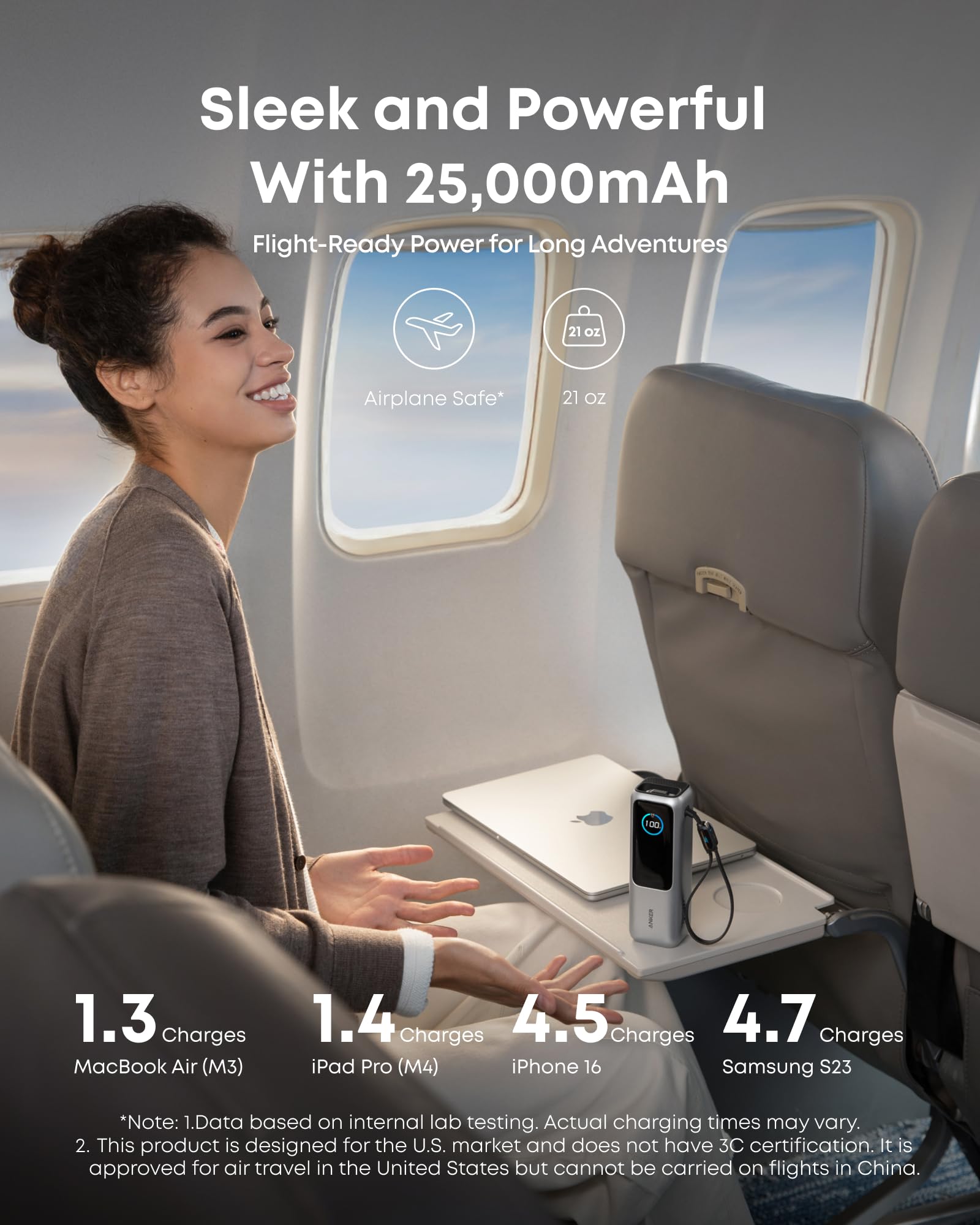
This is a 595g (21.0 oz) brick measuring 6.18 x 2.12 x 1.93 in, or about 157 x 54 x 49mm. Reviewers agree it is too thick for a pocket, and it earns its place in a bag, not a jacket. Independent weighing came in at 594g, and another reviewer put it at just under 600g, so the quoted figure holds up.
It comes in Space Black and Silver, and the design won an iF Design Award 2025 and a Red Dot award in 2025.
The cables are the real story. A retractable USB-C cable extends to about 27 in (70cm). A second, shorter strap cable of 8.6 in doubles as a carry loop. Both carry power in and out, so either one can recharge the bank. The strap is rated to support over 44 lbs.
Because both cables are built in, there is no loose cord to forget for either charging the bank or powering a device. There is no wireless or MagSafe charging, so it stays a wired-only product.
Safety & Compatibility
ActiveShield 2.0 is Anker's temperature-monitoring system, and it checks temperature over 3,000,000 times per day. Anker calls it proprietary. Combined with the 90Wh rating and the flight-approved listing, it makes for a bank you can pack for travel with confidence. One caveat on heat: the bank drops its input to around 50W to manage temperature while recharging, which is why a full refill takes closer to two hours than the theoretical 90 minutes.
Compatibility is broad. The 100W USB-C ports cover laptops, tablets and phones, while the USB-A port tops out at 33W, so it is best kept for accessories and older gadgets. The input voltage range runs from 5V/3A up to 20V/5A. The bank worked cleanly with the Apple laptops, iPhones, Galaxy phones and OnePlus phones that reviewers connected to it.
There are a few practical limits. Once both built-in cables are in use, you have one free USB-C port and the USB-A port left. There is no wireless or MagSafe charging. And because the 165W peak needs two USB-C loads, a third or fourth device pulls the total down to 130W.
Value for Money
At $119.99, the Anker Laptop Power Bank is not cheap, but it is priced fairly for what it bundles: laptop-class output, two cables, a smart display and flight-legal capacity. Reviewers noted it costs less than some other banks in its class, and in the UK it is often discounted well below its list price, with street prices at or below the mid-£60s to £70 range on Amazon. It is sold on Anker.com and Amazon, and the live Amazon price on the Buy button is the one to go by.
Who Should Buy This
Buy it if you fly often, commute with a laptop, or carry a laptop and a phone and want one bank with built-in cables and a display that shows exactly what each port is delivering. The two-cable design removes the most common reason a power bank fails you: a missing cable.
Skip it if you need something pocketable or lightweight, want wireless or MagSafe charging, or plan to run three or more devices at full speed, since the output caps at 130W in that case.
Bottom Line
The Anker Laptop Power Bank is an excellent all-in-one laptop bank, as long as you can live with the weight and the 130W multi-device cap. It tops up laptops and phones quickly and carries its own cables. If the street price dips below list, it is an easy buy.
For anyone who has ever hunted for a cable with a dying laptop, this bank takes that problem off the table. It is a heavy, slightly pricey solution, but it is the one we would put in a travel bag.
-- Theo Chan, Hardware Testing Director
*Disclosure: As an Amazon Associate, Revuzia earns from qualifying purchases. Prices and availability are accurate as of publication and may change.*